Jul 27, 2025
On this page
- 1. LG Gram 17 Upgrade Compatibility: Official Specifications
- RAM Requirements
- SSD Specifications
- Year-Specific Differences
- How to Check Your Model
- Warranty Considerations
- 2. Essential Tools for LG Gram 17 Upgrades: Professional-Grade Kit
- Core Toolset
- Specialized Equipment
- Workspace Preparation
- LG Gram-Specific Notes
- Budget-Friendly Options
- 3. LG Gram 17 RAM Installation: Professional Memory Upgrade Guide
- Pre-Installation Safety
- Accessing RAM Slots
- RAM Installation Process
- BIOS Configuration
- Troubleshooting
- Performance Verification
- 4. LG Gram 17 SSD Replacement: Professional Storage Upgrade
- Pre-Installation Checklist
- Accessing SSD Slot
- Existing SSD Removal
- New SSD Installation
- Post-Installation Setup
- Performance Optimization
- Troubleshooting
- 5. LG Gram 17 BIOS Optimization: Post-Upgrade Tuning
- Accessing BIOS Settings
- RAM Configuration
- SSD Performance Settings
- Security Adjustments
- Power Optimization
- BIOS Version Verification
- 6. LG Gram 17 Post-Upgrade Testing: Performance Validation
- Initial System Verification
- RAM Stability Testing
- SSD Performance Validation
- Thermal Performance
- Battery Life Assessment
- Application Benchmarks
- 7. LG Gram 17 Resale Optimization: Upgrade Value Preservation
- Professional Listing Techniques
- Best Resale Platforms
- Value-Boosting Documentation
- Competitive Pricing Guide
- Corporate Seller Strategies
- Pre-Sale Security Protocol
- Need to Sell Your LG Laptop? Get Instant Cash!
1. LG Gram 17 Upgrade Compatibility: Official Specifications
RAM Requirements
| Specification | Details | Verified Models |
|---|---|---|
| Type | DDR4 SODIMM | Crucial Compatibility Tool |
| Speed | 3200MHz (JEDEC standard) | No XMP support |
| Capacity | Max 32GB (2x16GB) | 16GB soldered + 16GB slot (2022 models) |
SSD Specifications
- Interface:
- M.2 PCIe Gen4 x4 (NVMe 1.4)
- Backward compatible with Gen3
- Form Factor:
- 2280 (80mm length)
- Single-sided recommended
- Verified Compatible:
- Samsung 980 Pro
- WD Black SN850X
Year-Specific Differences
- 2021 Models:
- PCIe Gen3 only
- One RAM slot (8GB soldered)
- 2022-2023 Models:
- PCIe Gen4 support
- 16GB soldered + empty slot
How to Check Your Model
- Method 1:
- Press Win+R, type
msinfo32 - Check "System Model"
- Press Win+R, type
- Method 2:
- Check sticker under battery
- Format: 17Z90P-Kxxx (2021), 17Z90P-Lxxx (2022)
Warranty Considerations
- RAM/SSD upgrades don't void warranty per LG's policy
- Keep original components for service requests
- Document installation with photos
2. Essential Tools for LG Gram 17 Upgrades: Professional-Grade Kit
Core Toolset
| Tool | Purpose | Recommended Product |
|---|---|---|
| Precision Screwdriver | Case and component screws | iFixit Pro Tech Toolkit (PH000) |
| Plastic Pry Tools | Case opening without scratches | Nylon spudger set |
| Anti-static Wrist Strap | ESD protection | iFixit Grounding Strap |
Specialized Equipment
- Thermal Interface Materials:
- 1mm thermal pad (Arctic Thermal Pad)
- For SSD heat management
- Magnification:
- Head-mounted loupe (2x magnification)
- For small connectors
Workspace Preparation
- Lighting:
- 500+ lux brightness
- Adjustable desk lamp
- Organization:
- Magnetic project mat
- Screw sorting containers
LG Gram-Specific Notes
- Screw Types:
- PH000 Phillips (bottom case)
- T5 Torx (internal shields)
- Special Considerations:
- Ultra-thin prying tools (0.6mm)
- Plastic card alternative for clips
Budget-Friendly Options
| Tool | Alternative | Cost Savings |
|---|---|---|
| ESD Mat | Aluminum foil on cardboard | 90% less |
| Spudger | Guitar pick | 95% less |
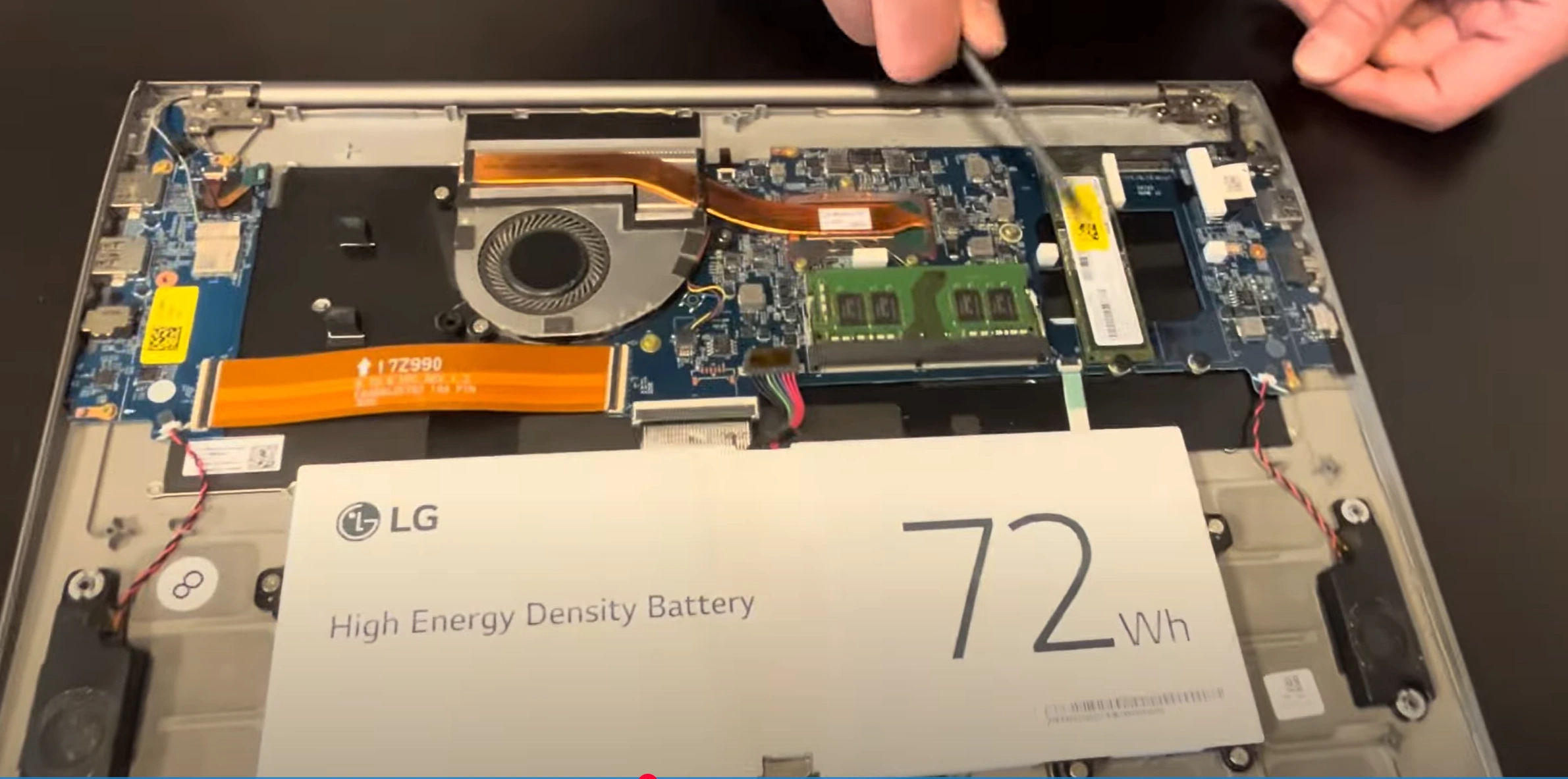
0:17 Unscrew and pull off bottom case 2:38 Disconnect battery 2:24 Take our original RAM 2:55 Install new RAM Module 2:57 Connect Battery 3:10 Turn on and Test Laptop 3:27 Disconnect battery 3:31 Take out Original SSD 3:57 Install New SSD Drive 4:17 Connect Battery 4:25 Put Bottom Case Back On 5:15 Test Laptop 5:45 Connect to the Internet and Run Windows Updates
3. LG Gram 17 RAM Installation: Professional Memory Upgrade Guide
Pre-Installation Safety
- Power Down Properly:
- Shut down Windows completely
- Hold power button for 15 seconds to discharge
- Disconnect charger and peripherals
- ESD Protection:
- Wear grounding wrist strap
- Work on non-conductive surface
Accessing RAM Slots
| Step | Key Detail | Tool |
|---|---|---|
| 1. Bottom Cover Removal | 10x PH000 screws (4 long, 6 short) | Magnetic screwdriver |
| 2. Case Opening | Start near hinge with 0.6mm spudger | iFixit opening picks |
| 3. Shield Removal | 2x T5 screws on metal cover | Precision Torx set |
RAM Installation Process
- Existing RAM Removal:
- Push outward on retention clips
- Module pops up at 30° angle
- Remove gently straight out
- New RAM Installation:
- Align notch with slot key
- Insert at 45° angle first
- Press down until clicks lock
BIOS Configuration
- First Boot:
- Power on with F2 for BIOS
- Verify RAM detection
- Optimization:
- Enable memory XMP profile if available
- Set speed to 3200MHz
Troubleshooting
| Issue | Solution |
|---|---|
| RAM not detected | Reseat module, check alignment |
| System beeps | Test with single module |
| Running at 2400MHz | Update BIOS to latest version |
Performance Verification
- Run MemTest86 for 4 passes
- Check dual-channel status in CPU-Z
- Compare benchmarks with UserBenchmark
4. LG Gram 17 SSD Replacement: Professional Storage Upgrade
Pre-Installation Checklist
- Data Backup:
- Create full system image
- Verify backup integrity
- Component Verification:
- Confirm SSD is M.2 2280 NVMe
- Check thermal pad thickness (1mm)
Accessing SSD Slot
- Remove bottom cover (10x PH000 screws)
- Locate SSD near right hinge area
- Identify metal shielding bracket
Existing SSD Removal
| Step | Key Detail |
|---|---|
| 1. Shield Removal | Remove 2x T5 screws (note spring tension) |
| 2. SSD Ejection | Push retention screw sideways while lifting SSD |
| 3. Thermal Material | Preserve existing pad if reusable |
New SSD Installation
- Preparation:
- Clean slot with isopropyl alcohol
- Apply new thermal pad if needed
- Installation:
- Insert SSD at 30° angle
- Secure with retention screw (0.5 Nm torque)
- Reattach heatsink shield
Post-Installation Setup
- Power on and enter BIOS (F2)
- Verify SSD detection
- Secure erase old drive if reusing
- Install OS or clone existing drive
Performance Optimization
- Enable PCIe Gen4 in BIOS (2022+ models)
- Update SSD firmware
- Configure over-provisioning (10% recommended)
Troubleshooting
| Issue | Solution |
|---|---|
| SSD not detected | Reseat drive, check BIOS version |
| Overheating | Verify thermal pad contact |
| Slow speeds | Check PCIe link speed in BIOS |
5. LG Gram 17 BIOS Optimization: Post-Upgrade Tuning
Accessing BIOS Settings
- Boot Method:
- Power on while pressing F2
- For advanced options: F2 + Ctrl
- Navigation:
- Use arrow keys and Enter
- F9 resets to defaults
- F10 saves and exits
RAM Configuration
| Setting | Recommended Value | Note |
|---|---|---|
| Memory Speed | 3200MHz | JEDEC standard only |
| Memory Remap | Enabled | For full 32GB recognition |
SSD Performance Settings
- PCIe Generation:
- Set to Gen4 (2022+ models)
- Gen3 for 2021 models
- NVMe Configuration:
- Enable ASPM L1.2 for battery life
- Disable Link Power Management
Security Adjustments
- Secure Boot:
- Disable for drive cloning
- Re-enable after OS install
- TPM Management:
- Clear TPM if reusing motherboard
- Reinitialize for Windows 11
Power Optimization
| Setting | Battery Mode | Performance Mode |
|---|---|---|
| Processor Power | Balanced | Turbo Boost |
| Fan Control | Quiet | Performance |
BIOS Version Verification
- Current version shown on Main tab
- Check LG support site for updates
- Update via Windows if newer available
6. LG Gram 17 Post-Upgrade Testing: Performance Validation
Initial System Verification
- BIOS Recognition:
- Confirm RAM capacity in system info
- Verify SSD model and interface speed
- Basic Functionality:
- Test all USB ports
- Check Wi-Fi/Bluetooth connectivity
RAM Stability Testing
| Test | Expected Result | Duration |
|---|---|---|
| Windows Memory Diagnostic | No errors | 30 minutes |
| Extended Stress Test | Stable at 3200MHz | 4 hours |
SSD Performance Validation
- Speed Verification:
- Sequential reads: 3500MB/s+ (Gen3)
- Sequential writes: 3000MB/s+ (Gen3)
- Latency Checks:
- 4K random read: 50MB/s+
- Access time: 0.1ms or lower
Thermal Performance
- Baseline Temperatures:
- Idle: Below 45°C
- Load: Below 75°C
- Throttling Test:
- Sustained workload for 15 minutes
- Monitor clock speed consistency
Battery Life Assessment
| Usage Scenario | Expected Duration | Tolerance |
|---|---|---|
| Video Playback | 17+ hours | ±5% |
| Office Productivity | 12+ hours | ±7% |
Application Benchmarks
- Before/After Comparison:
- Photoshop load time
- Visual Studio compile speed
- Multitasking:
- 30+ Chrome tabs with Office apps
- Virtual machine performance
7. LG Gram 17 Resale Optimization: Upgrade Value Preservation
Professional Listing Techniques
- Title Optimization:
- "2023 LG Gram 17 (Model 17Z90R) | 32GB RAM + 2TB SSD | 100% Battery Health"
- Include weight: "Under 2.98 lbs"
- Key Specs Highlight:
- Mention MIL-STD-810G durability
- Note Thunderbolt 4 certification
Best Resale Platforms
| Platform | Best For | Fee Structure |
|---|---|---|
| SellBroke | Quick corporate buybacks | No listing fees |
| SellLaptopBack | Bulk enterprise equipment | 12% commission |
| GovDeals | Government auctions (.gov) | 10% buyer premium |
| PublicSurplus | Educational institutions (.edu) | 7-15% fees |
Value-Boosting Documentation
- Proof of Upgrades:
- Original component receipts
- Pre-upgrade benchmark comparisons
- Warranty Transfer:
- LG warranty status check
- Original purchase invoice
Competitive Pricing Guide
- Base Value Factors:
- Battery cycles under 100: +15%
- Original box included: +8%
- Upgrade Premiums:
- 32GB RAM: +20-25%
- 2TB SSD: +18-22%
Corporate Seller Strategies
- Offer bulk discounts for 5+ units
- Provide IT asset tags documentation
- Include LG Commercial Warranty transfer
Pre-Sale Security Protocol
- Perform secure drive wipe (DoD 5220.22-M)
- Remove from LG account registration
- Reset BIOS to factory defaults
Need to Sell Your LG Laptop? Get Instant Cash!
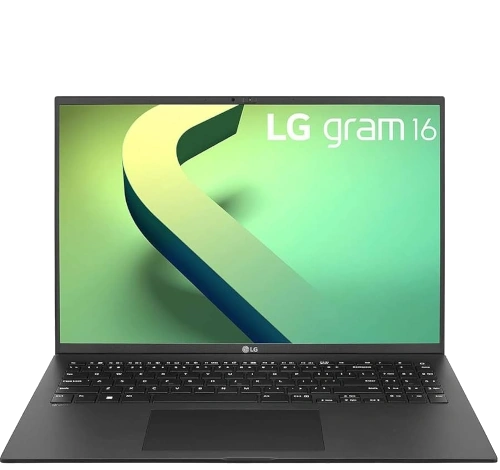
If your LG Gram 17 (or other LG Gram model) has issues or you're upgrading to a new device, sell it to us for a quick, competitive payout. We buy broken, used, and refurbished LG Gram laptops—including all generations and configurations—with free shipping and hassle-free quotes.
Sell Popular LG Gram Models Now:


Source SellBroke