On this page
- How Much Is an HP ZBook Worth?
- Identify Your Exact ZBook Before Estimating Its Value
- ZBook Families Can Have Very Different Values
- HP ZBook Fury
- HP ZBook Studio
- HP ZBook Power
- HP ZBook Firefly and Other Portable ZBooks
- The GPU Can Have a Major Effect on ZBook Value
- CPU Model and Generation Matter
- RAM Capacity Can Be Especially Important in a Workstation
- SSD Capacity and Storage Configuration
- Display Quality Can Affect ZBook Value
- Battery Health Still Matters on a Mobile Workstation
- Power Adapter and Charging
- Physical Condition of a Used ZBook
- Test a ZBook Under Load
- What Is a Broken HP ZBook Worth?
- Should I Repair My ZBook Before Selling It?
- Check for BIOS Passwords and Organizational Management
- Older ZBooks Can Still Be Worth Selling
- How to Get the Best Value for an HP ZBook
- Should I Sell My ZBook on eBay?
- Prepare Your ZBook Before Selling
- How to Sell an HP ZBook to SellLaptopBack
- ZBook vs EliteBook: Why the Difference Matters
- Frequently Asked Questions About HP ZBook Value
- Check What Your HP ZBook Is Worth
Published: November 10, 2026 | Updated: November 10, 2026 | By: SellLaptopBack.com | Read time: 11 min read
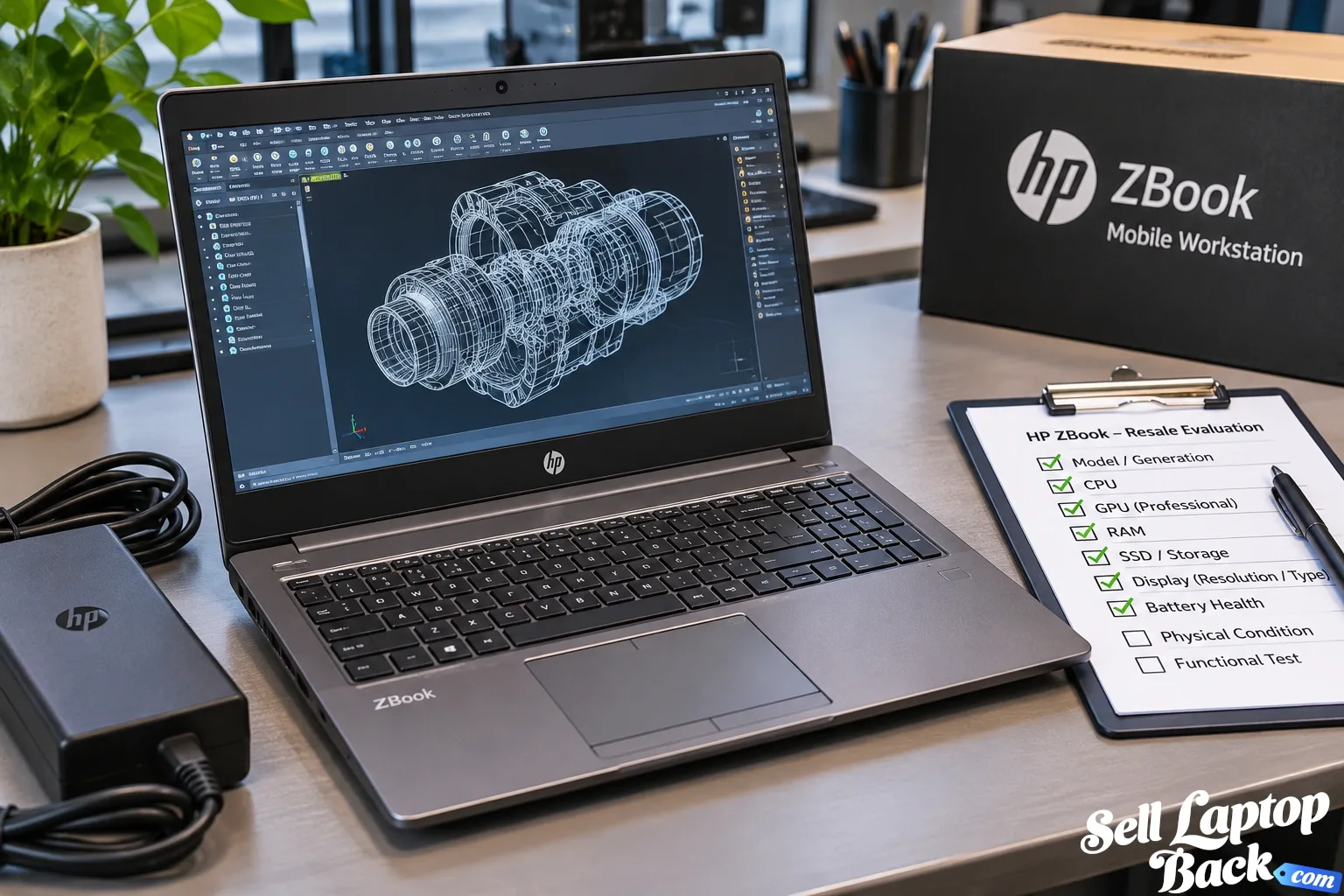
If you have an HP ZBook that is no longer being used for engineering, design, development, video production or other professional work, it may still have meaningful resale value. But a ZBook cannot be valued accurately from the name on the lid alone.
HP has produced ZBook mobile workstations across many generations and performance levels. The processor, graphics hardware, RAM, storage, display, age and condition can create a substantial difference between two machines that both carry the ZBook name.
If you already know your exact model, you can find your HP laptop and check the available offer. Otherwise, this guide explains the specifications that matter most when determining what a used ZBook may be worth.
How Much Is an HP ZBook Worth?
There is no single accurate resale price for every HP ZBook. These machines range from relatively portable professional laptops to high-performance mobile workstations designed for demanding technical workloads.
The most important value factors generally include:
- Exact ZBook family and generation
- Processor model and generation
- Dedicated or professional GPU
- RAM capacity
- SSD capacity and configuration
- Display type and resolution
- Battery health
- Physical condition
- Functional condition
- BIOS or organizational restrictions
- Original or compatible power adapter
Age matters as well. New workstation generations continually increase performance and efficiency, putting downward pressure on older hardware. See our laptop depreciation guide for more about how computer values change over time.
Identify Your Exact ZBook Before Estimating Its Value
Start with the complete model rather than simply identifying the computer as an HP ZBook.
Look for the product name, model number and product number on the computer's service label or through HP's system information tools. HP notes that a general product name can represent multiple configurations, so the model or product number is much more useful when identifying the machine.
You can also use HP Support to identify a system and locate specifications or documentation.
Record:
- Full ZBook model
- Generation
- Product number
- CPU
- GPU
- Installed RAM
- SSD capacity
- Display configuration
This is particularly important with mobile workstations because optional hardware can significantly change the original configuration and current resale value.
ZBook Families Can Have Very Different Values
HP has used the ZBook name across several workstation classes. The exact family provides useful context, but generation and configuration still determine the actual value.
HP ZBook Fury
ZBook Fury systems are performance-focused mobile workstations. Depending on generation and configuration, they can include powerful processors, professional graphics, large memory capacities and substantial storage.
A Fury should therefore be evaluated from its actual hardware rather than compared generically with a mainstream business laptop.
HP ZBook Studio
ZBook Studio models combine workstation-class capabilities with a design intended for mobile professional and creative work. Graphics configuration, processor, display and generation can all materially affect resale demand.
HP ZBook Power
ZBook Power systems bring workstation-oriented hardware into a different price and performance segment. Some configurations can still contain powerful CPUs and dedicated professional graphics, so the word “Power” alone does not determine value.
HP ZBook Firefly and Other Portable ZBooks
Portable ZBook configurations emphasize mobility more heavily than the largest workstation systems. Depending on generation, some use integrated graphics while others offer dedicated professional graphics.
That difference is important when comparing two otherwise similar machines.
The GPU Can Have a Major Effect on ZBook Value
Graphics hardware is one of the biggest reasons a ZBook should not be valued like an ordinary office laptop.
Depending on model and generation, ZBooks may use integrated graphics, NVIDIA professional graphics or other workstation-oriented GPU configurations.
Identify the exact graphics hardware whenever possible. Descriptions such as “NVIDIA graphics” are too broad to establish meaningful value.
A workstation equipped with a desirable dedicated GPU may appeal to users working with CAD, 3D modeling, rendering, engineering applications, video production, AI workloads or other accelerated software.
CPU Model and Generation Matter
ZBooks have been offered with many processor classes across their history. The processor affects both general performance and the kinds of professional workloads the computer can handle comfortably.
Do not rely only on a label such as Core i7, Core i9 or Ryzen. The exact processor model and generation provide much more useful information.
Two Core i7 ZBooks manufactured several generations apart can have dramatically different capabilities and resale values.
RAM Capacity Can Be Especially Important in a Workstation
Memory matters on virtually every laptop, but it can be particularly important for workstation buyers.
Engineering applications, large creative projects, virtual machines, software development, data analysis and other professional workloads can consume substantial memory.
Higher-memory configurations can therefore be more desirable, especially when paired with a capable CPU and GPU.
Upgradeability varies by model and generation. Check the exact ZBook documentation before assuming that memory is replaceable or that every configuration supports the same maximum capacity.
SSD Capacity and Storage Configuration
Professional users may work with large project files, virtual machines, video, datasets and application libraries. Storage capacity can therefore contribute to a ZBook's usefulness.
Some workstation configurations also support more extensive storage options than conventional laptops.
However, installing expensive storage immediately before selling does not automatically produce an equal increase in resale value. Compare the upgrade cost with the likely difference in the offer first.
Display Quality Can Affect ZBook Value
ZBooks have been available with a variety of display configurations. Depending on model and generation, differences may include resolution, brightness, color capability, touch support and premium professional display options.
Inspect the screen carefully for:
- Cracks
- Dead or stuck pixels
- Pressure marks
- Lines or flickering
- Backlight problems
- Touchscreen problems
- Image retention or other panel defects
A premium display can add appeal, but a damaged premium panel can also be expensive to replace.
Battery Health Still Matters on a Mobile Workstation
Many workstation laptops spend much of their lives connected to AC power, but battery condition still affects resale value.
A battery that lasts only a few minutes reduces portability. A battery that is swollen or physically damaged is a more serious issue and should be handled appropriately rather than treated as normal wear.
A weak battery does not automatically eliminate a ZBook's value. Describe the condition accurately so it can be considered as part of the overall evaluation.
Power Adapter and Charging
High-performance mobile workstations can require substantial power. Having the correct working adapter makes the machine easier to test and immediately use.
Test that the computer charges properly and inspect the power adapter, cable and charging connector for damage.
If the original HP adapter is available, include it with the information about the laptop.
Physical Condition of a Used ZBook
Workstations often spend years in professional environments, so some cosmetic wear is normal.
Inspect:
- Top cover
- Bottom cover
- Palm rest
- Keyboard and touchpad
- Display bezel
- Hinges
- USB and other ports
- Cooling vents
- Rubber feet
Light scratches generally matter less than cracked chassis sections, damaged hinges, broken ports or display damage.
Test a ZBook Under Load
A workstation that turns on is not necessarily fully functional.
When possible, verify that the machine operates normally during more demanding use. Watch for abnormal fan noise, overheating, graphics instability, unexpected shutdowns or severe performance problems.
These symptoms can indicate issues that are not obvious from a basic startup test.
What Is a Broken HP ZBook Worth?
A broken ZBook may still retain value because workstation components can remain useful even when the complete machine has a problem.
Depending on the model and failure, valuable components may include:
- Motherboard
- CPU/GPU platform
- RAM
- SSD
- Display assembly
- Cooling system
- Keyboard
- Wi-Fi hardware
- Chassis components
- Power adapter
If the laptop is damaged, see our guide to selling a broken laptop before assuming that its value is zero.
Should I Repair My ZBook Before Selling It?
Not automatically.
Workstation parts can be expensive, and a technically repairable machine is not always economically worth repairing before resale.
Compare:
- Current value in damaged condition
- Expected value after repair
- Replacement-part cost
- Labor cost
- Risk of additional problems
A repair only makes financial sense when the expected increase in value justifies the cost and risk.
Check for BIOS Passwords and Organizational Management
ZBooks are frequently purchased by companies and other organizations. Before selling one, make sure you own the computer or are authorized to dispose of it.
Check for BIOS passwords, organizational management and other restrictions that could interfere with normal use by a future owner.
If the machine belongs to an employer, school or another organization, have that organization properly release it rather than attempting to bypass its controls.
Older ZBooks Can Still Be Worth Selling
Professional workstations can remain useful for years, particularly when they were originally configured with substantial RAM, storage or dedicated graphics.
But original price should not be confused with current value.
A workstation that cost several thousand dollars when new can depreciate substantially as newer processors, GPUs and platforms become available.
The relevant question is what buyers value in the machine today, not what appeared on the original invoice.
How to Get the Best Value for an HP ZBook
- Find the exact ZBook model and generation.
- Identify the processor.
- Identify the GPU.
- Confirm installed RAM.
- Check SSD capacity.
- Identify the display configuration.
- Test the keyboard, touchpad and ports.
- Check battery operation.
- Test charging.
- Inspect the chassis and hinges.
- Check for BIOS or organizational restrictions.
- Locate the correct power adapter.
Accurate specifications are especially valuable with workstations because hardware configurations can vary considerably within the same model family.
Should I Sell My ZBook on eBay?
A marketplace can expose the computer to a large pool of potential buyers, including people specifically searching for mobile workstations.
But compare the final outcome rather than only the advertised selling price. Consider selling fees where applicable, packing materials, shipping, time spent creating and managing the listing and the possibility of a return.
See our guide to selling laptops on eBay for a broader discussion of those tradeoffs.
Prepare Your ZBook Before Selling
Back up files you intend to keep and remove personal or business information before transferring ownership.
If the computer previously belonged to a business, make sure organizational accounts and management have been properly removed by an authorized administrator.
Workstations can also be heavier than typical ultraportable laptops. Use adequate cushioning and protect the laptop from movement inside the shipping box.
Our laptop packing and shipping guide covers the basic preparation process.
How to Sell an HP ZBook to SellLaptopBack
- Find your HP laptop.
- Select the closest matching ZBook model.
- Verify the CPU, GPU, RAM and storage.
- Describe the condition accurately.
- Review the available offer.
- Prepare and ship the laptop according to the provided instructions.
- The machine is inspected against the submitted information.
- Payment is processed according to the available payment options.
ZBook vs EliteBook: Why the Difference Matters
ZBook and EliteBook are both associated with professional users, but they should not automatically be valued as equivalent machines.
ZBooks are mobile workstations and can include workstation-oriented processors, graphics, memory and storage configurations intended for demanding professional workloads. EliteBooks generally emphasize business productivity, manageability and mobility.
If you own an EliteBook instead, see our HP EliteBook value guide.
That internal distinction matters because a workstation buyer may place considerable value on hardware that is unnecessary in a conventional business notebook.
Frequently Asked Questions About HP ZBook Value
How much is my HP ZBook worth?
Are HP ZBooks worth more than regular laptops?
Does the GPU affect HP ZBook value?
Can I sell a broken HP ZBook?
Should I upgrade my ZBook before selling it?
Can I sell a company-owned ZBook?
Check What Your HP ZBook Is Worth
A ZBook's value comes from its actual hardware and condition, not simply the workstation badge. Identify the model, generation, CPU, GPU, memory, storage and display before deciding whether to repair, keep or sell it.
When you're ready, find your HP laptop and check the available offer for your configuration.