

After you sell
What you get after checkout
Get a price on Sell Now — laptop, MacBook, desktop, phone, or tablet. After checkout we email a prepaid UPS or FedEx label and a packing slip as PDFs. This page is the packing how-to. The four-step sell path is on How it works. Prepaid vs self-ship rules for Alaska, Hawaii, and Canada are on the shipping policy.
Prepare the device
Do this before it goes in the box. Locked or account-tied devices get a revised offer — same path as inspection and the shipping FAQ.
- Back up files you still need. We wipe storage on arrival where that applies.
- Sign out of Apple iCloud / Find My, Google, and Microsoft. Factory reset if the device boots.
- Remove BIOS / firmware passwords. A lock we cannot clear is a defect.
- Leave RAM and storage installed. Do not ship a hollowed-out chassis.
- Include the original charger. A missing or wrong charger lowers payout.
- If it will not boot, write that on the packing slip. Broken units still sell — start at sell a broken laptop.
Packing checklist
Same list we send in the confirmation email. Used boxes are fine.
- Wrap the device with bubble wrap or foam on all sides — about 2 inches.
- Include the original charger. Bag the brick so it cannot gouge the screen.
- Leave RAM and storage installed.
- Back up and wipe your data.
- Print the packing slip and place it inside the box.
- Tape the shipping label flat on the outside.
How to pack by device
Pick the type you are sending. Padding is the same idea on every device: the unit cannot rattle, and nothing hard sits against a screen.
Laptops and MacBooks
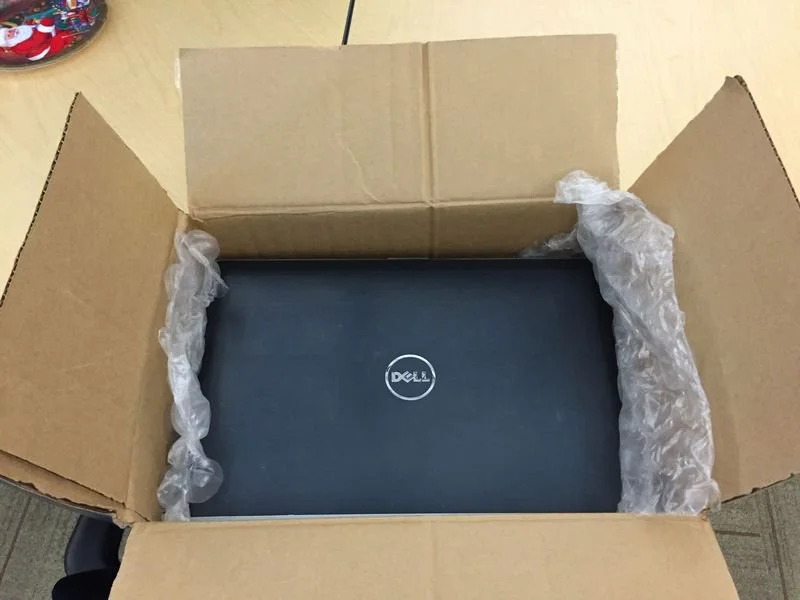
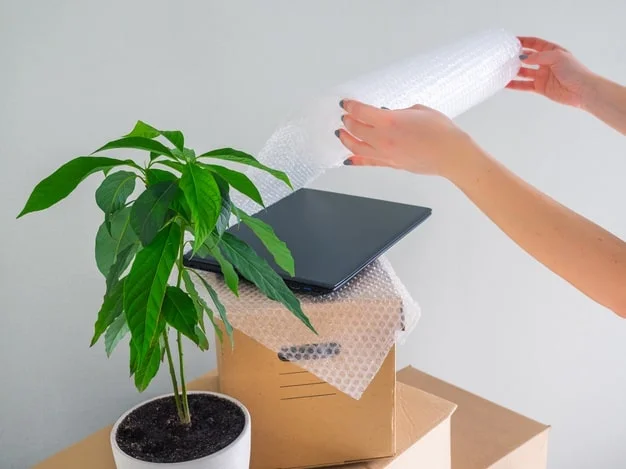
Close the lid. Wrap the closed laptop in bubble wrap or foam so every face has about 2 inches of cushion. Center it in the box. Fill the gaps so it cannot slide. Put the charger in a bag in the same box, away from the display.
- A used shipper is fine if it is still rigid. Skip a crushed carton.
- Do not use a padded envelope. Laptops need a box.
- Gaming laptops are heavier — double-tape the bottom seam. See the box photos and sell a laptop or sell a MacBook.
Desktops, towers, iMacs, and all-in-ones
Towers need more padding than a laptop. Use a box that fits the chassis plus extra foam on the corners. Stand a tower the way it sat on the desk when you can. Include the power cable.
- All-in-ones and iMacs: treat the panel like a laptop screen. Extra face padding. Never ship glass-to-box with no wrap.
- Do not leave drives or RAM on a desk “to make it lighter.” Leave internals in.
- Quote a tower on sell a desktop, an iMac on sell an iMac, or an all-in-one on sell an all-in-one. Odd configs go through a custom quote.
Phones and tablets
Power off. Wrap each device on its own. A padded envelope is not enough — use a small box with about 2 inches of cushion. Include the original charger and cable if you have them.
- Turn Find My / iCloud off on iPhone and iPad before you ship. We cannot wipe or pay full price on an account lock.
- Several phones in one quote can share a box if each unit is wrapped and they cannot knock screens together.
- Start a quote on sell a phone, sell an iPhone, sell a tablet, or sell an iPad.

Box and wrap examples
These are the packing photos we already use on the site. There is no packing demo video on our channel — the short four-step sell clip is on How it works. Blog teardowns are repair guides, not shipping how-tos.

Packing slip and label
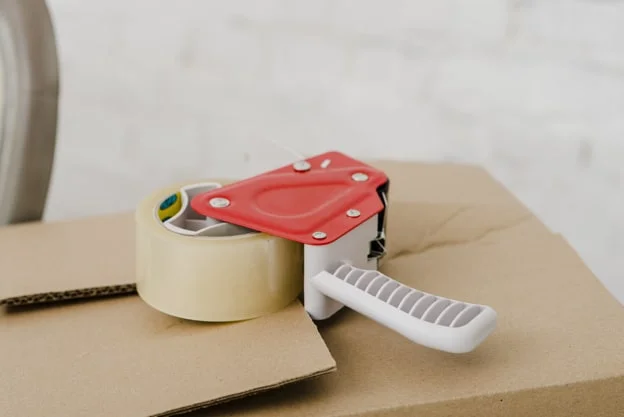
The confirmation email has both PDFs. Print them. The packing slip speeds intake when the box lands in Reno.
- Packing slip inside the box.
- Prepaid label taped flat on the outside. Do not wrap tape over the barcode.
- Do not put the shipping label in the box. Carriers scan the outside.
Track the quote on quote status after you drop it off. Returns, if you need them later, are on the return policy.
Drop-off
Use the carrier on the confirmation email. Keep the drop-off receipt until we confirm the box arrived.
Use the prepaid label from the confirmation email. We send reminders if it sits unused. Alaska, Hawaii, and Canada: follow the shipping policy — we cannot always print a prepaid US label from those locations.
Five or more units from a shop, school, or IT lot belong on the reseller list rather than a single consumer box.
Walk-in at the shop
Prefer to skip the carrier? Bring the device in person. No shipping label is required for a walk-in. Payment still waits on inspection, same as mail-in.
LaptopMate LLC
5460 Louie Ln
Reno, NV 89511
Mon–Fri 8am–5pm Pacific
Walk in hours Mon-Fri 10am-3pm
Map and phone are on contact. Questions while you pack? Open quote status and message us, or use contact.