

On this page
- How Much Is an ASUS ROG Laptop Worth?
- Identify the Exact ROG Model First
- ROG Series and Product Family Matter
- ROG Zephyrus
- ROG Strix
- ROG Strix SCAR
- ROG Flow
- The GPU Is One of the Biggest ROG Value Factors
- CPU Generation Also Matters
- RAM and Upgradeability
- SSD Capacity and Additional Storage
- Display Resolution and Refresh Rate
- Cooling Condition Can Affect ROG Value
- Battery Health on a Used Gaming Laptop
- The Original Power Adapter Is Important
- Keyboard, RGB Lighting and Input Condition
- Cosmetic Condition and Chassis Damage
- What Is a Broken ASUS ROG Laptop Worth?
- Should I Repair My ROG Laptop Before Selling It?
- Does Upgrading a ROG Laptop Before Selling Increase Its Value?
- Gaming Laptop Depreciation and New GPU Generations
- How to Get the Best Value for an ASUS ROG Laptop
- Selling an ASUS ROG on a Marketplace
- Prepare Your ROG Laptop for Sale
- How to Sell an ASUS ROG Laptop to SellLaptopBack
- ROG vs Other ASUS Laptop Families
- Frequently Asked Questions About ASUS ROG Value
- Check What Your ASUS ROG Laptop Is Worth
Published: October 19, 2026 | Updated: October 19, 2026 | By: SellLaptopBack.com | Read time: 11 min read
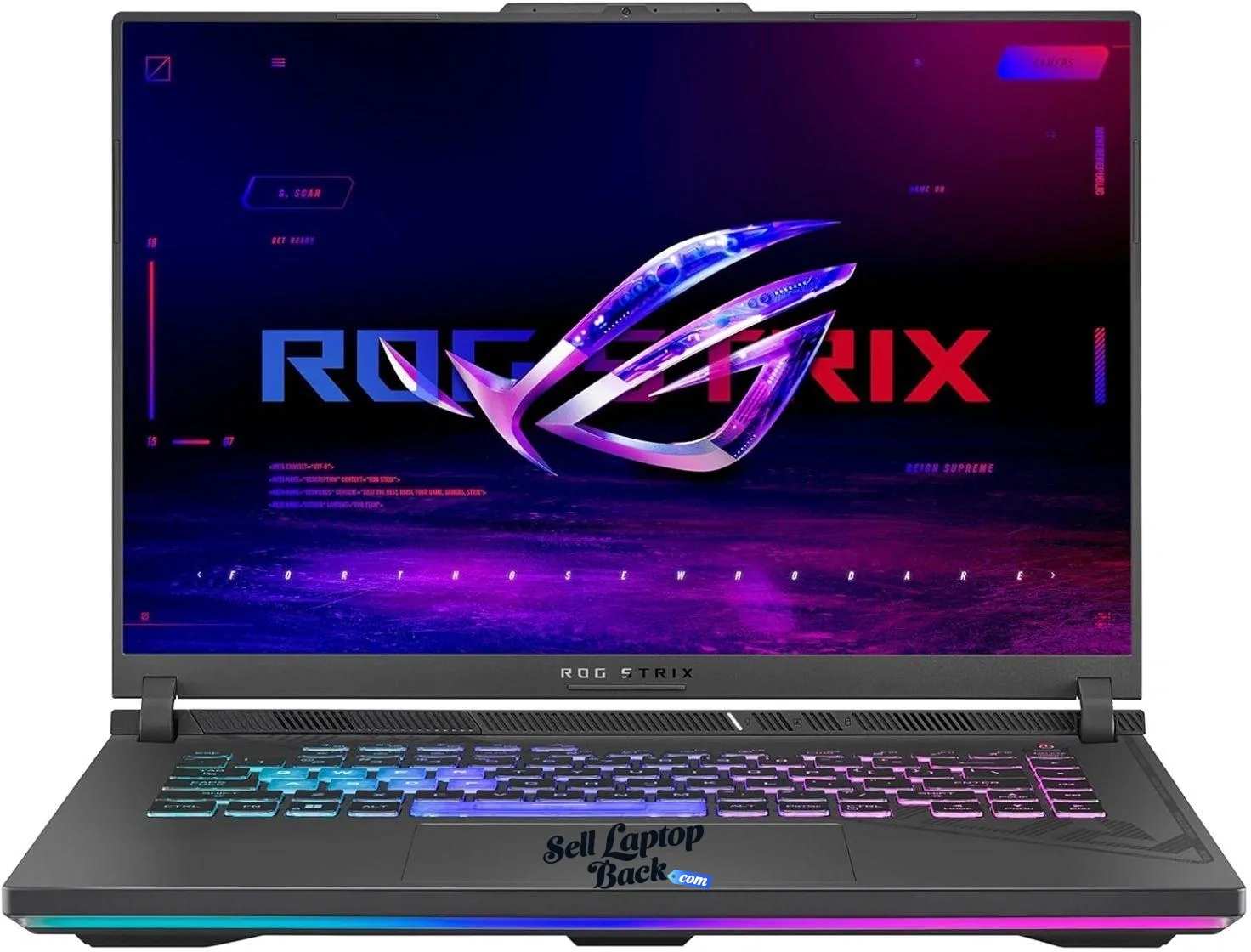
An ASUS ROG laptop can retain significant resale value, but gaming laptops cannot be valued accurately from the ROG name alone. The graphics processor, CPU, exact model, generation, display, RAM, SSD and physical condition all matter.
This is especially important with gaming hardware. Two laptops that both say Republic of Gamers can have dramatically different capabilities. A thin Zephyrus, a high-performance Strix or Strix SCAR, and an older ROG gaming laptop may appeal to very different buyers.
If you already know your exact ASUS model, start by checking ASUS laptop models and current offers. Otherwise, use this guide to identify the specifications that matter most.
How Much Is an ASUS ROG Laptop Worth?
There is no reliable universal price for a used ROG laptop. Gaming hardware changes quickly, and the GPU alone can move one configuration into an entirely different value category.
The major factors include:
- Exact ROG model and generation
- NVIDIA or AMD graphics processor
- CPU model and generation
- RAM capacity
- SSD capacity
- Display resolution and refresh rate
- Battery health
- Cooling-system condition
- Keyboard and lighting condition
- Chassis, hinge and display condition
- Original high-wattage power adapter
- Whether the laptop operates correctly under load
Gaming laptops can also depreciate rapidly when new GPU generations arrive. See our laptop depreciation guide for a broader explanation of how age and newer hardware affect resale value.
Identify the Exact ROG Model First
“ASUS ROG” is a product family, not a complete model.
Before estimating value, determine the full model designation and configuration. Look at the label on the bottom of the laptop, Windows system information, BIOS/UEFI information or ASUS support resources.
The official ASUS Republic of Gamers laptop lineup also illustrates how widely ROG configurations can differ.
Record:
- ROG family
- Exact model number
- CPU
- GPU
- RAM
- SSD capacity
- Display resolution
- Refresh rate
ROG Series and Product Family Matter
ROG Zephyrus
Zephyrus systems typically emphasize a combination of gaming performance and portability. Depending on generation and configuration, they can include premium displays and high-end GPUs in comparatively portable chassis.
Do not value a Zephyrus based only on screen size. The exact GPU, CPU and generation are critical.
ROG Strix
ROG Strix laptops generally emphasize gaming performance, with different sizes and hardware configurations available across generations.
A Strix equipped with a substantially stronger GPU may be worth considerably more than a visually similar configuration carrying lower-tier graphics.
ROG Strix SCAR
SCAR models occupy the performance-oriented end of the ROG gaming range. High-end configurations can start at very high prices when new, but used value still depends on generation and hardware rather than original MSRP alone.
ROG Flow
ROG Flow systems use more specialized portable or convertible designs. Exact model identification is particularly important because unusual form factors and hardware combinations can make generic gaming-laptop comparisons misleading.
The GPU Is One of the Biggest ROG Value Factors
For gaming laptops, the graphics processor deserves much more attention than it would on a typical office notebook.
Do not describe a machine simply as having “NVIDIA graphics” or even just “RTX graphics.” Identify the exact GPU whenever possible.
For example, different GeForce RTX generations and performance tiers can have dramatically different gaming capabilities. GPU model also matters for creative workloads, rendering and other accelerated applications.
Current ROG laptops demonstrate just how wide this range can become, with configurations spanning multiple GPU tiers. That is why exact hardware identification is essential when valuing an older machine.
CPU Generation Also Matters
Although gaming performance often puts the spotlight on the GPU, the processor still affects overall value.
CPU performance matters for high-frame-rate gaming, content creation, compilation, streaming and other demanding workloads. Identify the complete Intel or AMD processor model rather than relying on a generic Core or Ryzen label.
RAM and Upgradeability
Memory capacity can influence resale appeal, particularly on a gaming machine expected to run demanding games and applications.
Upgradeability varies by ROG model and generation. Some machines provide replaceable memory slots, while other designs may use soldered memory or a combination of soldered and replaceable RAM.
Check the specification for the exact model rather than assuming every ROG laptop can be upgraded the same way.
SSD Capacity and Additional Storage
Modern games can consume substantial storage space, so SSD capacity is relevant to buyers.
A larger SSD can improve usability, and some models provide additional storage expansion options. But installing a costly new SSD solely to sell an older laptop does not guarantee that the resale price will increase by the full cost of the upgrade.
Display Resolution and Refresh Rate
The display is a particularly important component on a gaming laptop.
Depending on the model, ROG laptops may use high-refresh LCD or OLED displays at different resolutions. Buyers may care about:
- Resolution
- Refresh rate
- Panel technology
- Brightness
- Color performance
- Response characteristics
Condition matters too. Dead pixels, lines, flickering, cracks, pressure damage or severe image problems can substantially reduce the value of an otherwise powerful gaming machine.
Cooling Condition Can Affect ROG Value
Gaming laptops operate under much heavier sustained loads than many ordinary office notebooks. Their cooling systems therefore deserve attention when evaluating condition.
Watch for:
- Fans making abnormal grinding or rattling noises
- Fans that do not operate
- Severe overheating
- Unexpected shutdowns under load
- Performance dropping dramatically after the machine heats up
- Cooling vents blocked by heavy dust
A laptop that boots successfully but crashes whenever the GPU is stressed should not be described as fully functional.
Battery Health on a Used Gaming Laptop
Gaming laptops are often used while connected to AC power, but battery health still matters.
A badly degraded battery reduces portability. A swollen battery is more serious and should be treated as a safety issue rather than merely a cosmetic defect.
Do not continue using or shipping a machine with a visibly swollen battery without following appropriate battery-safety guidance.
The Original Power Adapter Is Important
The charger can matter more with a high-performance gaming laptop than with many ordinary notebooks.
ROG systems may require relatively high-power adapters to operate at their intended performance level. A missing or incorrect charger can make testing harder and may reduce the attractiveness of the machine to a buyer.
If you have the original ASUS adapter, include that information when describing the laptop.
Keyboard, RGB Lighting and Input Condition
Gaming laptops often have more elaborate keyboard and lighting systems than conventional notebooks.
Test:
- All keyboard keys
- Touchpad
- Keyboard backlighting
- RGB zones or lighting where equipped
- USB ports
- Audio ports
- Display outputs
- Charging connector
A lighting defect usually does not make the computer worthless, but it should be disclosed.
Cosmetic Condition and Chassis Damage
Inspect the laptop under good lighting.
Look for:
- Scratches and dents
- Cracked plastic
- Missing screws
- Loose or damaged hinges
- Damaged vents
- Broken ports
- Display-bezel separation
- Missing rubber feet
Structural damage matters more than ordinary surface wear because repairs may require significant disassembly and replacement parts.
What Is a Broken ASUS ROG Laptop Worth?
A broken ROG laptop may still retain substantial component value, particularly when it contains desirable recent hardware.
Depending on the failure, usable parts may include:
- Display assembly
- Motherboard
- CPU/GPU platform
- RAM
- SSD
- Cooling system
- Keyboard
- Wi-Fi hardware
- Chassis parts
- Power adapter
If your gaming laptop is damaged, see our broken laptop selling guide before assuming it has no value.
Should I Repair My ROG Laptop Before Selling It?
It depends on the failure and repair cost.
Cleaning, replacing an inexpensive component or correcting a straightforward problem can sometimes make sense. A motherboard or high-end display replacement may be another matter entirely.
Compare:
- Current value while damaged
- Likely working value
- Parts cost
- Labor cost
- Risk of additional faults
The fact that an ROG laptop was expensive when new does not automatically make every repair financially worthwhile years later.
Does Upgrading a ROG Laptop Before Selling Increase Its Value?
Sometimes, but avoid upgrading simply because the laptop has an empty slot.
Additional RAM or storage may make the machine more desirable, but resale markets rarely reimburse every dollar spent on last-minute upgrades.
If you already own compatible components, the calculation may be different. If you would need to purchase new components specifically for resale, compare the expected increase in value first.
Gaming Laptop Depreciation and New GPU Generations
Gaming laptops can experience noticeable value changes when new graphics generations arrive.
A machine does not suddenly stop being useful when a newer GPU launches, but buyers compare performance, efficiency, features and new-system pricing. That puts pressure on older hardware.
This is one reason unused gaming laptops are often better sold while their hardware is still relatively current rather than stored for several additional years.
How to Get the Best Value for an ASUS ROG Laptop
- Identify the exact ROG model.
- Identify the exact GPU.
- Confirm the processor.
- Check RAM capacity.
- Check SSD capacity.
- Identify the display configuration.
- Test the laptop under load.
- Check cooling fans.
- Test keyboard and lighting.
- Inspect the display and hinges.
- Check battery condition.
- Locate the original charger.
Accurate specifications are especially important with gaming laptops because configurations within the same family can vary substantially.
Selling an ASUS ROG on a Marketplace
A private marketplace sale may produce a different headline price from a direct buyback, but consider the entire transaction rather than the listing price alone.
That includes listing work, selling fees where applicable, packaging, insured shipping, buyer questions and potential returns.
For a deeper comparison, see our guide to selling laptops on eBay.
Prepare Your ROG Laptop for Sale
Back up files you intend to keep and remove personal information before transferring ownership.
Gaming laptops can also be relatively heavy, so shipping protection matters. Protect the display, corners and hinges and prevent the heavy power adapter from moving around inside the box where it could strike the computer.
Follow our laptop packing and shipping guide before shipment.
How to Sell an ASUS ROG Laptop to SellLaptopBack
- Find your ASUS laptop.
- Select the closest matching ROG model.
- Verify the CPU, GPU, RAM and storage.
- Describe its condition accurately.
- Review the available offer.
- Prepare and ship the laptop according to the provided instructions.
- The laptop is inspected against the submitted information.
- Payment is processed according to the available payment options.
ROG vs Other ASUS Laptop Families
Republic of Gamers should not be confused with every ASUS laptop.
ASUS produces several laptop families aimed at different users. An ROG gaming machine should be evaluated around gaming-oriented hardware such as its GPU, CPU, cooling and display rather than simply compared with an ordinary ASUS notebook of similar age.
Frequently Asked Questions About ASUS ROG Value
How much is my ASUS ROG laptop worth?
What affects an ROG laptop's value the most?
Does an RTX graphics card make my ROG laptop valuable?
Can I sell a broken ASUS ROG laptop?
Should I upgrade the RAM or SSD before selling my ROG laptop?
Does the ASUS charger matter when selling an ROG laptop?
Check What Your ASUS ROG Laptop Is Worth
A gaming laptop's specifications tell far more about its value than the ROG logo by itself. Identify the exact model, GPU, CPU and configuration, then evaluate its actual physical and functional condition.
When you're ready, find your ASUS laptop and check the available offer for your configuration.









