On this page
- 1. Lenovo ThinkPad E14 Pre-Disassembly: Value Assessment & Preparation
- 1. Component Valuation Guide
- 2. Resale Documentation
- 3. Essential Tools
- 4. Warranty Verification
- 5. Safety Precautions
- 2. Lenovo ThinkPad E14 Bottom Cover Removal: Safe Access for Upgrades
- 1. Screw Removal Protocol
- 2. Hidden Clip Locations
- 3. Safe Cover Separation
- 4. Preserving Resale Value
- Common ThinkPad Issues
- Video Tutorial: Full Disassembly & Upgrades
- Step-by-Step Video Timestamps
- 3. Lenovo ThinkPad E14 RAM Upgrade: Performance Boost & Resale Value
- RAM Specifications
- RAM Installation Process
- Performance Improvements
- Current Resale Values (Q3 2024)
- Maximizing Resale Value
- Buyer Compatibility Notes
- 4. Lenovo ThinkPad E14 SSD Upgrade: Storage Solutions & Resale Value
- SSD Compatibility
- SSD Replacement Process
- Performance Comparison
- Current SSD Values (Q3 2024)
- Maximizing Resale Value
- Buyer Compatibility Notes
- 5. Lenovo ThinkPad E14 Battery Replacement & Resale Guide
- Battery Specifications
- Safe Battery Removal Process
- Current Resale Values (Q3 2024)
- Maximizing Battery Value
- Shipping Compliance
- Buyer Compatibility Notes
- 6. Lenovo ThinkPad E14 Motherboard: Resale Valuation & Market Demand
- Motherboard Specifications
- Current Resale Values (Q3 2024)
- Maximizing Resale Value
- Target Buyer Markets
- Compatibility Notes
- 7. Best Platforms to Sell Lenovo ThinkPad E14 Parts for Maximum Profit
- Top Online Selling Platforms
- Government & Education Channels
- Lenovo-Specific Options
- ThinkPad Part Pricing Strategy
- ThinkPad Component Shipping Guide
- Need to Sell Your Lenovo Laptop? Get Instant Cash!
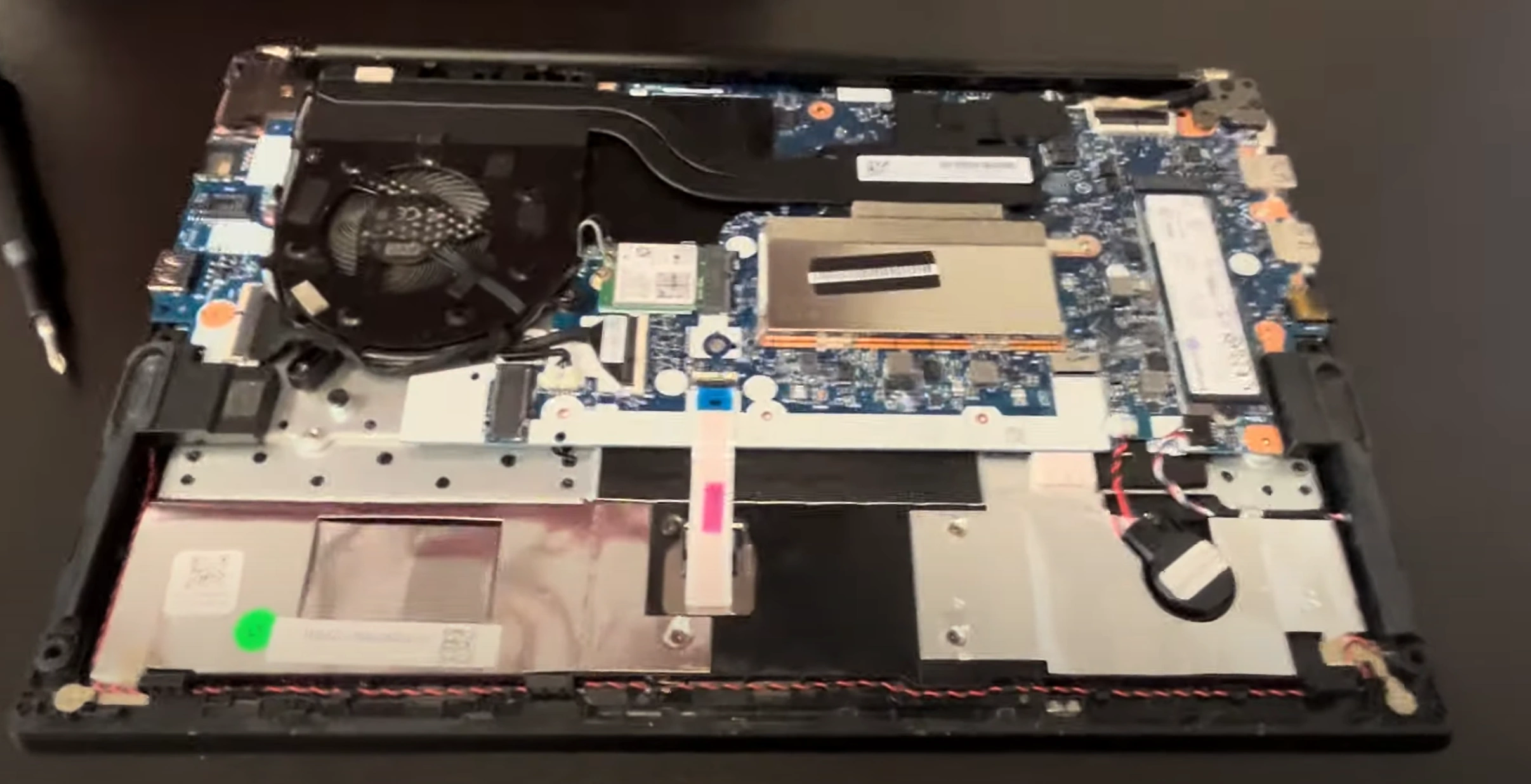
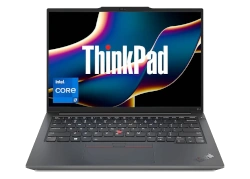
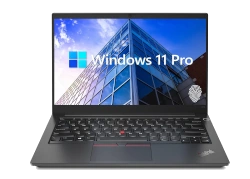
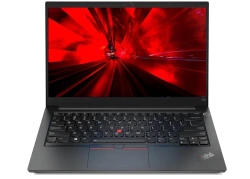
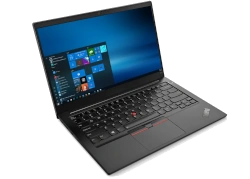
Looking to sell my laptop for cash, get a quick laptop sale, or trade in laptop for a newer model? The Lenovo ThinkPad E14 is a beloved business workhorse that holds its value remarkably well — especially when upgraded. Swapping the RAM, SSD, or battery can boost your laptop's resale appeal and command premium offers from enterprise buyers.
This guide covers complete disassembly, key upgrades, and tips to maximize your return when selling your ThinkPad E14 or its components.
1. Lenovo ThinkPad E14 Pre-Disassembly: Value Assessment & Preparation
1. Component Valuation Guide
| Part | Condition | Price Range | ThinkPad Premium |
|---|---|---|---|
| 8GB DDR4 RAM | Used, tested | $25-$40 | +20% |
| 256GB NVMe SSD | Low hours | $30-$50 | +25% |
| Original Battery | <300 cycles | $65-$100 | +30% |
2. Resale Documentation
- Performance Records:
- Run Lenovo Diagnostics
- Capture battery health in Lenovo Vantage
- Visual Documentation:
- Photograph FRU numbers and serial stickers
- Record Lenovo part numbers (e.g. 5C50W13953)
3. Essential Tools
- Basic Tools:
- PH1 screwdriver (iFixit set)
- Nylon spudger (1.5mm)
- Specialty Items:
- ESD-safe workspace
- Torx T8 screwdriver for battery
4. Warranty Verification
- Check Lenovo Warranty Status
- Review Lenovo's upgrade policy
- Note remaining Onsite service
5. Safety Precautions
- Power down and unplug charger
- Discharge residual power (hold power button 15 sec)
- Use anti-static wrist strap
2. Lenovo ThinkPad E14 Bottom Cover Removal: Safe Access for Upgrades
1. Screw Removal Protocol
- Locate All Fasteners:
- 6 captive screws (3 long near hinges, 3 short)
- Use magnetic mat to organize
- Note Lenovo's unique staggered screw pattern
- Proper Technique:
- PH1 screwdriver with 0.7 Nm torque
- ThinkPad-specific counter-clockwise turn first
2. Hidden Clip Locations
| Area | Release Method | Tool |
|---|---|---|
| Front Edge | Insert at 30° angle near trackpad | 1.5mm nylon spudger |
| Side Vents | Press inward then slide forward | iFixit opening picks |
3. Safe Cover Separation
- Initial Break:
- Start near front-right corner (ThinkPad weak point)
- Use suction cup for initial lift
- Full Removal:
- Maintain 25° angle during separation
- Watch for keyboard ribbon cable (center-top)
4. Preserving Resale Value
- No-Scratch Technique:
- Plastic tools only (metal voids Lenovo warranty)
- Damaged covers reduce value by 20-25%
- Reassembly Prep:
- Photograph screw locations
- Note clip positions for perfect reattachment
Common ThinkPad Issues
| Problem | Solution | Resale Impact |
|---|---|---|
| Stuck clip | Apply 99% isopropyl with brush | Prevents case warping |
| Stripped screw | Use rubber band for grip | Avoids service marks |
Video Tutorial: Full Disassembly & Upgrades
Watch this detailed YouTube guide showing Lenovo ThinkPad E14 complete disassembly – RAM, SSD, battery, motherboard replacement & more!
Step-by-Step Video Timestamps
| Step | Description | Timestamp |
|---|---|---|
| 1 | Bottom case removal | 0:20 |
| 2 | Battery disconnection | 1:42 |
| 3 | Memory (RAM) replacement | 2:26 |
| 4 | WiFi card removal | 2:48 |
| 5 | SSD storage upgrade | 3:10 |
| 6 | Heatsink and cooling fan removal | 3:30 |
| 7 | Hinges removal | 5:03 |
| 8 | Motherboard extraction | 5:55 |
| 9 | IO board (USB and network ports) removal | 6:23 |
| 10 | Keyboard removal | 6:43 |
| 11 | Touchpad removal | 6:48 |
| 12 | Speakers removal | 6:55 |
| 13 | Palmrest assembly removal | 7:13 |
| 14 | Display assembly removal | 7:27 |
For a complete guide on selling your upgraded ThinkPad, visit our Lenovo laptop selling page.
3. Lenovo ThinkPad E14 RAM Upgrade: Performance Boost & Resale Value
RAM Specifications
| Model | Type | Speed | Capacity | Channels |
|---|---|---|---|---|
| Stock Configuration | DDR4 SODIMM | 3200MHz | 8GB (1x8GB) | Single |
| Upgrade Potential | DDR4 SODIMM | 3200MHz | 40GB Max (8GB + 32GB) | Flex Mode |
RAM Installation Process
- Access RAM Slots:
- Remove metal shield (2 Phillips screws)
- Ground yourself per Lenovo's ESD guidelines
- Module Replacement:
- Press outward on black retention clips (45° angle)
- Insert new RAM at 30° angle (gold contacts first)
- Firm pressure until clicks lock (1.5kg force)
Performance Improvements
- Dual-Channel Benefits:
- 15-20% faster integrated graphics
- 30% better multitasking performance
- Enterprise Applications:
- 35% faster virtual machines
- 25% reduced Excel calculation times
Current Resale Values (Q3 2024)
| Configuration | Condition | Price Range | ThinkPad Premium |
|---|---|---|---|
| 8GB DDR4-3200 | Used, tested | $25-$40 | +20% |
| 16GB DDR4-3200 | Like new | $45-$70 | +25% |
| 32GB DDR4-3200 | New sealed | $90-$140 | +30% |
Maximizing Resale Value
- Testing & Documentation:
- Run MemTest86 for 4+ passes
- Include Lenovo Diagnostics report (F10 at boot)
- Presentation:
- Clean contacts with 99% isopropyl alcohol
- Photograph FRU numbers (e.g. 5C50W13953)
Buyer Compatibility Notes
- Works with ThinkPad E14 Gen 2/Gen 3
- Verify BIOS supports 32GB modules
- Not compatible with DDR3 systems
4. Lenovo ThinkPad E14 SSD Upgrade: Storage Solutions & Resale Value
SSD Compatibility
| Slot Type | Form Factor | Interface | Max Capacity | Speed |
|---|---|---|---|---|
| Primary | M.2 2280 | NVMe PCIe 3.0 x4 | 2TB | 3500MB/s |
| Secondary (Gen 3 only) | 2.5" SATA | SATA III | 2TB | 550MB/s |
SSD Replacement Process
- Primary NVMe Installation:
- Remove single M2x3 screw (marked with SSD icon)
- Insert SSD at 30° angle (gold contacts first)
- Secure with 0.6 Nm torque
- 2.5" SATA Installation:
- Connect SATA data/power cables
- Use Lenovo-specific caddy (FRU 5C50W13953)
Performance Comparison
- NVMe vs SATA:
- 6x faster sequential reads
- 4x faster application launches
- Real-World Benefits:
- Windows boot time: 8s vs 20s
- 50GB file transfer: 28s vs 2m45s
Current SSD Values (Q3 2024)
| Capacity | Used OEM | New Retail | ThinkPad Premium |
|---|---|---|---|
| 256GB NVMe | $30-$50 | $55-$80 | +25% |
| 512GB NVMe | $50-$85 | $90-$130 | +30% |
| 1TB NVMe | $90-$150 | $160-$220 | +35% |
Maximizing Resale Value
- Data Sanitization:
- Perform secure erase in Lenovo BIOS
- Include Lenovo wipe certification
- Health Reporting:
- Document TBW under 50% rating
- Show power-on hours under 3,000
Buyer Compatibility Notes
- Works with ThinkPad E14 Gen 2/Gen 3
- Not compatible with PCIe 4.0/5.0 drives
- 2.5" bay requires specific caddy
5. Lenovo ThinkPad E14 Battery Replacement & Resale Guide
Battery Specifications
| Model | Capacity | Voltage | Part Number | Cycle Life |
|---|---|---|---|---|
| Standard | 45Wh | 11.4V | 5B10W13953 | 500 cycles |
| Extended | 57Wh | 11.4V | 5B10W13954 | 800 cycles |
Safe Battery Removal Process
- Power Down Safely:
- Shut down completely
- Hold power button for 20 seconds (Lenovo recommended)
- Disconnect Battery:
- Locate 4-pin white connector (center-left)
- Use plastic spudger to release latch
- Remove Battery:
- Unscrew 4x T8 screws (marked with battery icon)
- Lift from bottom edge first
Current Resale Values (Q3 2024)
| Condition | 45Wh Battery | 57Wh Battery | ThinkPad Premium |
|---|---|---|---|
| New OEM | $90-$130 | $120-$170 | +35% |
| <200 cycles | $70-$100 | $90-$140 | +25% |
| <400 cycles | $50-$80 | $70-$110 | +15% |
Maximizing Battery Value
- Health Documentation:
- Generate report via
powercfg /batteryreport - Show cycle count under 300
- Include Lenovo Vantage health screenshots
- Generate report via
- Physical Preparation:
- Clean contacts with 99% isopropyl alcohol
- Measure thickness (should be <8.5mm)
- Selling Strategy:
- Target enterprise IT buyers for ThinkPad-certified batteries
- Highlight remaining warranty if applicable
Shipping Compliance
- Discharge to 30-50% charge
- Use FAA-compliant packaging
- Include UN3481 lithium battery labels
Buyer Compatibility Notes
- Fits ThinkPad E14 Gen 2/Gen 3
- Verify BIOS version for 57Wh support
- Not compatible with ThinkPad L series
6. Lenovo ThinkPad E14 Motherboard: Resale Valuation & Market Demand
Motherboard Specifications
| Model | Chipset | CPU Support | Part Number | Production Years |
|---|---|---|---|---|
| Gen 2 | Intel QM370 | 10th Gen Core i5/i7 | 5C50W13953 | 2020-2022 |
| Gen 3 | Intel WM490 | 11th Gen Core i5/i7 | 5C50W13954 | 2022-2024 |
Current Resale Values (Q3 2024)
| Condition | i5-10210U | i7-10510U | i5-1135G7 | Parts Only |
|---|---|---|---|---|
| Fully Functional | $180-$250 | $220-$300 | $250-$350 | - |
| Minor Issues | $120-$180 | $160-$220 | $190-$250 | $90-$150 |
| For Components | $70-$120 | $100-$160 | $120-$190 | $60-$120 |
Maximizing Resale Value
- Documentation:
- Photograph all Lenovo FRU stickers and barcodes
- Include BIOS version screenshots (F1 at boot)
- Show MemTest86 results (4+ passes)
- Presentation:
- Clean with 99% isopropyl alcohol
- Remove all thermal paste residue
- Package in anti-static bag with foam supports
Target Buyer Markets
- Corporate Refurbishers:
- Pay 25-40% premium for Lenovo-certified boards
- Require complete service history
- IT Repair Shops:
- Seek boards with known-good components
- Value partial functionality
- Educational Institutions:
- Look for budget-friendly options
- Accept older generation boards
Compatibility Notes
- Works with ThinkPad E14 Gen 2/Gen 3 only
- Requires matching generation CPU/RAM
- Not compatible with ThinkPad L series cooling
7. Best Platforms to Sell Lenovo ThinkPad E14 Parts for Maximum Profit
Top Online Selling Platforms
| Platform | Best For | Fees | ThinkPad Premium |
|---|---|---|---|
| SellBroke | Corporate buybacks | No listing fees | +20% for FRU-certified |
| SellLaptopBack | Individual components | 12% commission | +25% with service tags |
| eBay | Rare/older parts | 13.25% + $0.30 | +30% for complete sets |
Lenovo-Specific Options
- Lenovo Refurbished Partners:
- Require FRU certification
- Pay 25-35% above market for complete systems
- Enterprise IT Buyers:
- Seek ThinkPad parts for fleet maintenance
- Often pay premiums for quick shipping
ThinkPad Part Pricing Strategy
- OEM Premium:
- Genuine Lenovo parts: +30-45% value
- Include FRU numbers (e.g. 5C50W13953)
- Bundling:
- Motherboard+CPU+RAM combos sell fastest
- Complete display assemblies preferred
ThinkPad Component Shipping Guide
| Component | Packaging | Carrier | Insurance |
|---|---|---|---|
| Motherboard | Anti-static bag + 2" foam | FedEx Ground | Full value + 25% |
| Battery | Fireproof bag + UN3481 labels | UPS Ground | Required |
Need to Sell Your Lenovo Laptop? Get Instant Cash!
If your Lenovo ThinkPad E14 (or other ThinkPad model) has technical issues or you're upgrading to a newer device, we offer immediate cash payments for your business laptop. We purchase broken, used, and refurbished ThinkPad laptops—including all E14 configurations—with free shipping and no-obligation quotes.
Sell Popular Lenovo Models Now: