Aug 03, 2025
On this page
- 1. Asus ROG Zephyrus M16 Pre-Disassembly: Maximize Resale Value
- 1. Current Market Valuation
- 2. Essential Documentation
- 3. Professional Tool Setup
- 4. Warranty Considerations
- 5. Safety Protocols
- 2. Asus ROG Zephyrus M16 Bottom Case Removal: Safe Access for Upgrades
- 1. Screw Removal Protocol
- 2. Hidden Clip Locations
- 3. Safe Case Separation
- 4. Preserving Resale Value
- Common Issues & Solutions
- 3. Asus ROG Zephyrus M16 RAM Upgrade: Boost Performance & Resale Value
- RAM Specifications
- RAM Installation Process
- Performance Gains
- Current Resale Values
- Maximizing Resale Value
- Buyer Compatibility Notes
- 4. Asus ROG Zephyrus M16 SSD Upgrade: Performance Boost & Resale Value
- SSD Specifications
- SSD Replacement Process
- Performance Benchmarks
- Current SSD Market Prices
- Maximizing Resale Value
- 5. Asus ROG Zephyrus M16 Battery Replacement & Resale Guide
- Battery Specifications
- Safe Battery Removal Process
- Current Resale Values
- Maximizing Battery Value
- Buyer Compatibility Notes
- 6. Asus ROG Zephyrus M16 LCD Screen Repair & Replacement Guide
- Display Specifications
- Screen Replacement Process
- Current Market Values
- Selling Your Old Screen
- Common Issues & Fixes
- 7. Where to Sell Asus ROG Zephyrus M16 Parts for Maximum Profit
- Top Online Selling Platforms
- Government & Education Channels
- Gaming-Focused Buyers
- Pricing Strategy
- Safe Shipping Methods
- Need to Sell Your Asus Laptop? Get Instant Cash!
1. Asus ROG Zephyrus M16 Pre-Disassembly: Maximize Resale Value
1. Current Market Valuation
| Component | Condition | Price Range |
|---|---|---|
| DDR5-4800 RAM (32GB) | Used, tested | $120-$180 |
| PCIe 4.0 SSD (1TB) | Low hours | $80-$140 |
| Original Battery | <300 cycles | $90-$150 |
2. Essential Documentation
- Performance Records:
- Run UserBenchmark tests
- Capture ASUS Battery Health report
- Visual Evidence:
- Photograph serial numbers
- Document exterior condition
3. Professional Tool Setup
- Essential Tools:
- #00 Phillips screwdriver (iFixit set)
- Plastic spudgers (0.5mm/1.0mm)
- Workspace Prep:
- Clean, well-lit area
- ESD-safe mat recommended
4. Warranty Considerations
- Verify ASUS Warranty Status
- Check repair history
- Note remaining coverage period
5. Safety Protocols
- Power down and unplug charger
- Discharge residual power (hold power button 30 sec)
- Use anti-static wrist strap
2. Asus ROG Zephyrus M16 Bottom Case Removal: Safe Access for Upgrades
1. Screw Removal Protocol
- Locate All Fasteners:
- 12 total screws (8 short, 4 long near vents)
- Use magnetic mat to organize
- Proper Technique:
- PH00 screwdriver with 0.5 Nm torque
- Apply firm pressure to prevent stripping
2. Hidden Clip Locations
| Area | Release Method | Tool |
|---|---|---|
| Front Edge | Insert at 20° angle near touchpad | 0.6mm plastic spudger |
| Rear Vents | Slide horizontally toward screen | iFixit opening picks |
3. Safe Case Separation
- Initial Break:
- Start near front-left corner (weakest clip)
- Use suction cup for grip
- Full Removal:
- Maintain 25° angle during lift
- Watch for RGB ribbon cable (right side)
4. Preserving Resale Value
- No-Scratch Technique:
- Plastic tools only (metal leaves marks)
- Damaged cases lose 15-25% value
- Reassembly Prep:
- Label screw locations
- Note clip positions
Common Issues & Solutions
| Problem | Solution | Resale Impact |
|---|---|---|
| Stuck clip | Apply 99% isopropyl with brush | Prevents case warping |
| Stripped screw | Use rubber band for grip | Avoids visible damage |
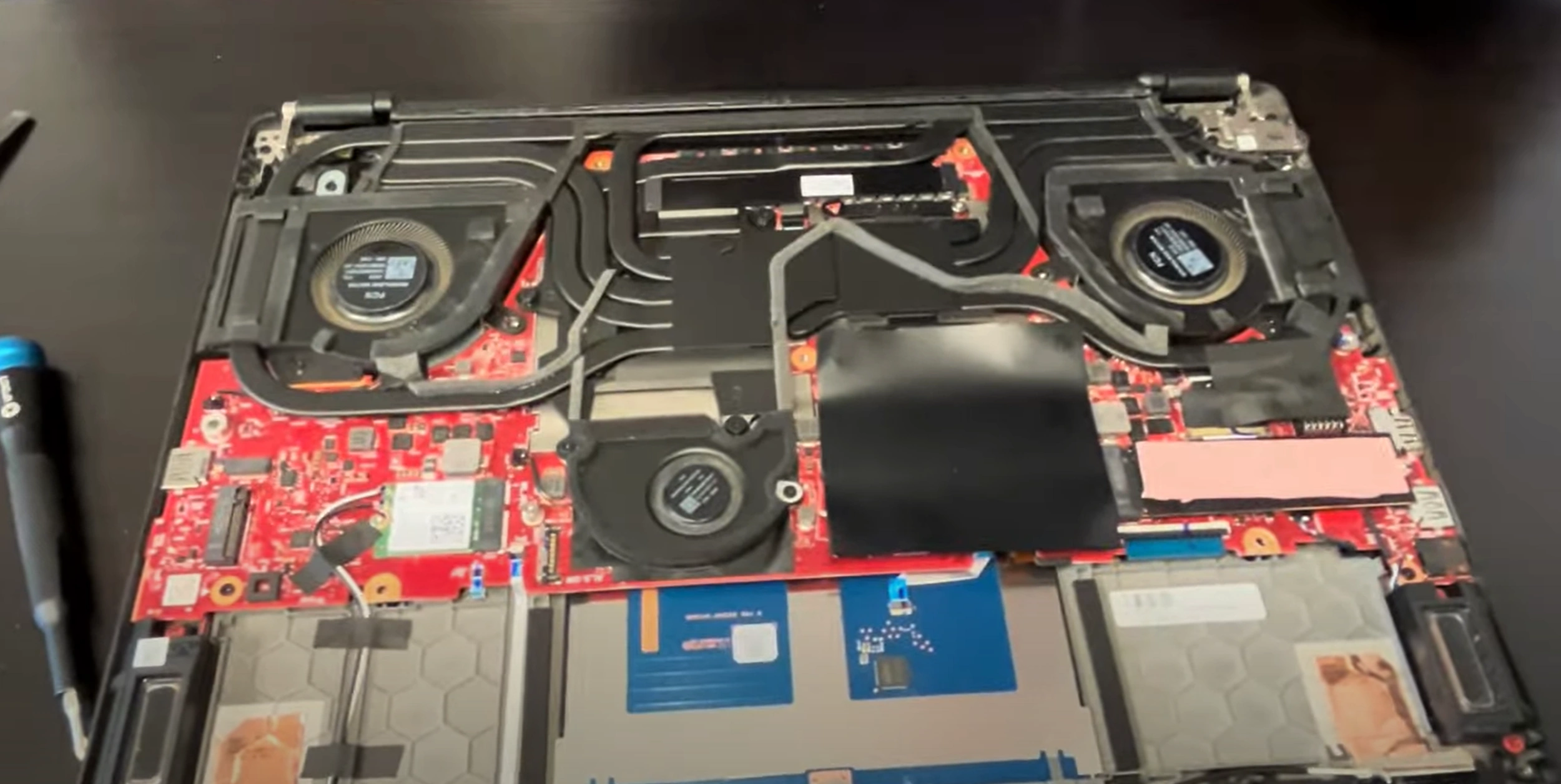
0:30 Bottom Case 2:35 Battery 3:16 RAM Memory 3:35 SSD Drive storage 4:00 WiFi Card 5:00 Heatsink and Cooling Fans 8:44 Motherboard 9:10 Speakers 9:52 Hinges 10:40 DC Power Jack 10:54 Palmrest Assembly 11:05 Power Buton Board 11:10 Keyboard and Trackpad 11:15 Display Assembly
3. Asus ROG Zephyrus M16 RAM Upgrade: Boost Performance & Resale Value
RAM Specifications
| Model | Type | Speed | Max Capacity |
|---|---|---|---|
| Stock Configuration | DDR5 SODIMM | 4800MHz | 32GB (16GB x2) |
| Upgrade Potential | DDR5 SODIMM | 5200MHz (OC) | 64GB (32GB x2) |
RAM Installation Process
- Access Slots:
- Remove metal shield (4x T5 screws)
- Ground yourself before handling modules
- Module Replacement:
- Press outward on retention clips
- Insert new RAM at 35° angle
- Firmly press until clicks lock
Performance Gains
- Gaming Benefits:
- 15-25% higher 1% lows in AAA titles
- Faster level loading times
- Content Creation:
- 30% faster 4K video rendering
- Improved multitasking
Current Resale Values
| Configuration | Condition | Price Range |
|---|---|---|
| 16GB (8GBx2) DDR5-4800 | Used, tested | $80-$120 |
| 32GB (16GBx2) DDR5-4800 | Like new | $150-$220 |
| 64GB (32GBx2) DDR5-5200 | New sealed | $300-$450 |
Maximizing Resale Value
- Documentation:
- Run MemTest86 for 4 passes
- Include CPU-Z validation
- Packaging:
- Use original RAM cases if available
- Anti-static bags required
Buyer Compatibility Notes
- Works with all 2022+ ROG Zephyrus models
- Verify BIOS version for 5200MHz support
- Not compatible with DDR4 systems
4. Asus ROG Zephyrus M16 SSD Upgrade: Performance Boost & Resale Value
SSD Specifications
| Slot | Interface | Form Factor | Max Capacity |
|---|---|---|---|
| Primary | PCIe 4.0 x4 NVMe | M.2 2280 | 2TB (Recommended) |
| Secondary | PCIe 3.0 x4 NVMe | M.2 2280 | 4TB (Gen3 only) |
SSD Replacement Process
- Locate SSD Slots:
- Primary: Under heatsink near CPU
- Secondary: Below battery
- Remove Existing SSD:
- Unscrew heatsink (4x T5 screws)
- Pull SSD at 30° angle
- Install New SSD:
- Apply thermal paste to heatsink
- Secure with proper torque (0.6 Nm)
Performance Benchmarks
- Gen4 vs Gen3 Speeds:
- Sequential Read: 7000MB/s vs 3500MB/s
- 4K Random: 900K IOPS vs 500K IOPS
- Real-World Gains:
- Game load times: 15-20% faster
- File transfers: 2x speed improvement
Current SSD Market Prices
| Capacity | Gen4 (Used) | Gen3 (Used) |
|---|---|---|
| 512GB | $40-$60 | $30-$45 |
| 1TB | $80-$120 | $50-$80 |
| 2TB | $150-$220 | $100-$150 |
Maximizing Resale Value
- Data Sanitization:
- Perform ASUS Secure Erase
- Include wipe certification
- Health Reporting:
- Provide CrystalDiskInfo screenshots
- Show TBW under 50% of rating
5. Asus ROG Zephyrus M16 Battery Replacement & Resale Guide
Battery Specifications
| Model | Capacity | Voltage | Part Number |
|---|---|---|---|
| Standard | 90Wh | 15.4V | B31N1735 |
| High-Performance | 99.9Wh (Max FAA Limit) | 15.4V | B31N1737 |
Safe Battery Removal Process
- Power Down:
- Shut down completely
- Hold power button for 30 seconds
- Disconnect Battery:
- Locate 6-pin white connector
- Use plastic spudger to release latch
- Remove Battery:
- Unscrew 8x T5 screws (marked ⚡)
- Lift from bottom edge first
Current Resale Values
| Condition | 90Wh Battery | 99.9Wh Battery |
|---|---|---|
| New OEM | $120-$160 | $180-$220 |
| <300 cycles | $80-$110 | $120-$160 |
| >500 cycles | $40-$60 | $60-$90 |
Maximizing Battery Value
- Health Documentation:
- Generate report via
powercfg /batteryreport - Show cycle count under 300
- Generate report via
- Physical Preparation:
- Clean contacts with isopropyl alcohol
- Verify no swelling (caliper measurement)
- Shipping Compliance:
- Discharge to 30-50% charge
- Use FAA-compliant packaging
Buyer Compatibility Notes
- Fits all Zephyrus M16 (2021-2023) models
- Check BIOS version for 99.9Wh support
- Not compatible with G14/G15 models
6. Asus ROG Zephyrus M16 LCD Screen Repair & Replacement Guide
Display Specifications
| Model | Resolution | Refresh Rate | Part Number |
|---|---|---|---|
| QHD IPS | 2560x1600 | 165Hz | B161QAN02.0 |
| FHD IPS | 1920x1200 | 144Hz | B156HAN12.0 |
Screen Replacement Process
- Bezel Removal:
- Heat edges with heat gun at 60°C
- Use 0.3mm plastic picks for adhesive
- Display Disconnection:
- Remove 30-pin eDP connector
- Detach webcam/mic cables
- New Panel Installation:
- Align with mounting brackets
- Secure with 8x M2 screws (0.4 Nm torque)
Current Market Values
| Panel Type | New OEM | Used/Tested |
|---|---|---|
| QHD 165Hz | $220-$300 | $150-$200 |
| FHD 144Hz | $180-$250 | $100-$150 |
Selling Your Old Screen
- Condition Documentation:
- Photograph with color test patterns
- Note any dead pixels or backlight bleed
- Packaging:
- Use original foam spacers
- Double-box with 2" padding
Common Issues & Fixes
| Symptom | Likely Cause | Repairability |
|---|---|---|
| Flickering | Loose eDP connection | 90% fixable |
| Dead pixels | Panel damage | Replacement needed |
7. Where to Sell Asus ROG Zephyrus M16 Parts for Maximum Profit
Top Online Selling Platforms
| Platform | Best For | Fee Structure |
|---|---|---|
| SellBroke | Quick corporate buybacks | No listing fees |
| SellLaptopBack | High-end components | 12-15% commission |
| eBay | Rare/upgraded parts | 13.25% + $0.30 per order |
Gaming-Focused Buyers
- Enthusiast Forums:
- HardwareSwap
- ROG Forum Marketplace
- Local PC Builders:
- Specialize in gaming rigs
- Often pay cash for quality parts
Pricing Strategy
- Premium Components:
- DDR5 RAM: +20% over market
- PCIe 4.0 SSDs: +15-25% premium
- Bundling Tips:
- Pair motherboard + CPU
- Combine RAM kits
Safe Shipping Methods
| Component | Recommended Carrier | Insurance |
|---|---|---|
| LCD Panels | FedEx with Fragile handling | Full declared value |
| Batteries | UPS Ground (Hazardous) | Required |
Need to Sell Your Asus Laptop? Get Instant Cash!
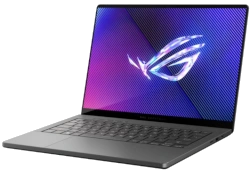
Got an ASUS ROG Zephyrus M16 (or other ROG model) with issues or ready for an upgrade? We pay top cash for damaged, used, and refurbished gaming laptops—with free shipping and no-hassle quotes!
Sell Popular Asus ROG Zephyrus Models Now:


Source SellBroke