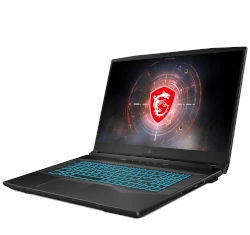
MSI Crosshair 17 144Hz Gaming Core i7-11800H RTX 3060
Get up to $365 in cash

Sell devices / Gaming laptops / Msi
Sell your gaming laptop for cash. Browse 5 models, choose your configuration, and check the cash offer for its condition. This catalog also includes older models for reference.
Start typing to see matching models and cash offers.
Get up to $365 in cash
Cash offer: up to $330
Request a cash quote
Request a cash quote
Request a cash quote
The exact GPU, processor, memory, and storage configuration help identify your model. Note overheating, a damaged screen, missing charger, keyboard problems, or a device that will not turn on when requesting your quote.
Remove accounts and passwords before shipping. Back up personal files first. For older models or a configuration you cannot find, request a custom quote. See how selling works for shipping, inspection, and payment.
Check the label underneath the laptop, its system information, or the manufacturer’s support tool. Include the GPU and processor: the same series can contain several configurations with different quotes.
Select your model and report the condition accurately, including power, display, keyboard, cooling, and charger problems. Availability varies by model. If yours is missing or too old for a listed offer, request a custom quote.
Compare the repair cost with the available quote before buying parts. Added memory or storage does not always cover its cost in resale value. Our model-specific guides below can help identify components and common faults.
Back up your files, sign out of accounts, and remove passwords. Follow the packing instructions supplied with your quote and disclose anything that prevents a reset. See our packing guide and selling process.
Relevant repair, upgrade, and selling articles from our published sitemap. New articles appear here automatically.
Introduction: MSI Raider GE78 Gaming Laptop Service Guide Essential Tools & Gaming Laptop Workspace Setup Safety Procedures & ESD Protection for Gaming Hardware Bottom Cover Removal & Internal Component Access Battery Replacement & Power Sy…
Read the full guide →Pre-Teardown: Value Assessment & Tools Bottom Panel Removal (Gamer-Focused Design) Cooler Boost 5 Thermal System RAM Upgrade: DDR4-3200 Dual-Channel Dual NVMe SSD Expansion 51Wh Battery Removal & Certification 144Hz IPS Display Replacement …
Read the full guide →Overheating Diagnosis Fan Replacement Guide Thermal Paste Application Deep Cleaning Post-Repair Testing Resale Value Boost 1. MSI Gaming Laptop Overheating Diagnosis Common Overheating Symptoms Performance Issues: Sudden FPS drops during ga…
Read the full guide →Pre-Disassembly Checklist Complete Disassembly RAM Upgrade Guide SSD Installation Motherboard Access LCD Screen Repair Battery Replacement Maximizing Resale Value 1. MSI Stealth 15M Pre-Disassembly Checklist ⚠️ Critical Safety Precautions P…
Read the full guide →Assess Your GS77's Value Professional Disassembly RAM Upgrade Guide Dual SSD Installation Motherboard Replacement LCD Screen Repair Battery Swap Selling Your GS77 1. How to Accurately Value Your MSI Stealth GS77 Gaming Laptop High-performan…
Read the full guide →Mega-monster machines! That’s what I’m going to talk about today. Do you want to game? Well here is your answer. Here's looking at the MSI GT75VR 7RF Titan Pro. This is the first laptop that could be considered a true desktop replacement. W…
Read the full guide →Videos featured in our existing blog articles. Match the guide to your exact model before attempting a repair.