




Updated: November 11, 2026 | By: SellLaptopBack.com | Read time: 14 min read
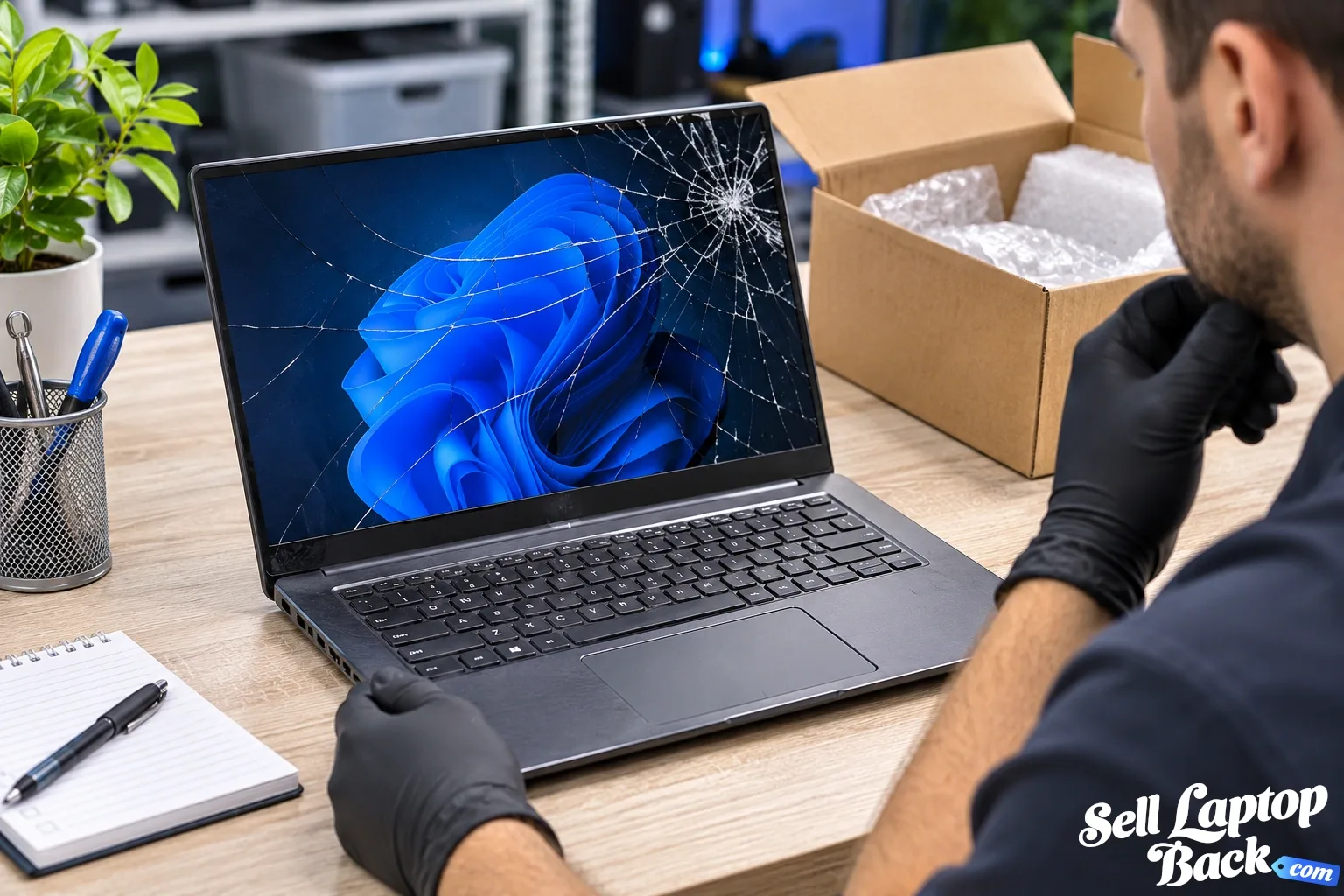
Yes, a broken laptop can still be worth money. A cracked screen, dead battery, damaged keyboard or laptop that no longer boots does not automatically make the computer worthless. What matters is which laptop you have, what is damaged and which valuable components remain usable.
That distinction is important. A newer gaming laptop with a broken display may still have considerable value because its processor, graphics hardware, motherboard, memory and storage remain desirable. An old entry-level laptop with the same broken screen may have little or no remaining resale value.
If you already know the exact laptop you have, you can find your device and check its current options. If you're deciding whether selling a damaged computer makes sense, this guide explains what determines the value of a broken laptop and which types of damage matter most.
Can You Really Get Money for a Broken Laptop?
Yes. Broken does not necessarily mean worthless.
A damaged laptop may still contain valuable working components or may be repairable economically. Buyers therefore evaluate the complete machine and its remaining usable value, not simply whether every feature works perfectly.
Examples of laptops that may still have value include machines with:
- Cracked or damaged screens
- Dead or weak batteries
- Broken keyboards
- Damaged hinges or cases
- Charging problems
- Missing keys
- Bad trackpads
- Cooling problems
- Operating-system problems
- Laptops that do not boot
- Some liquid-damaged machines
The amount you can receive depends heavily on the model and the severity of the problem.
How Much Is a Broken Laptop Worth?
There is no useful single percentage that applies to every broken laptop.
The better way to estimate value is to start with what the same model is worth in working condition and then account for the defect, repair cost, usable components, age and current demand.
For example, a damaged premium business laptop, gaming laptop, MacBook or mobile workstation may retain considerably more value than an older budget computer with exactly the same defect.
The most important factors usually include:
- Exact manufacturer and model
- Processor
- Dedicated GPU, when present
- RAM and storage configuration
- Age and generation
- Display type and condition
- Battery condition
- Whether the laptop powers on
- Type and extent of damage
- Missing components
- Overall physical condition
- Current demand for the model and its parts
That's why identifying the exact laptop is more useful than simply searching for an average price for “a broken laptop.”
What Types of Broken Laptops Are Worth the Most?
Generally, machines with stronger underlying hardware retain more value when damaged.
That can include:
- Recent gaming laptops
- Professional mobile workstations
- Higher-end business laptops
- Recent MacBooks
- Premium ultrabooks
- Laptops with valuable dedicated GPUs
- Recent models with desirable replacement parts
A damaged laptop's value therefore isn't determined by cosmetic appearance alone. The hardware inside can matter considerably more.
Cracked Screen: Is the Laptop Still Worth Money?
A cracked screen is one of the clearest examples of a laptop that may look badly damaged while still retaining useful value.
If the motherboard, processor, GPU, memory, storage and other major components work, the laptop may simply require a display repair.
The effect on value depends on the cost and availability of the replacement display. A basic LCD may be relatively inexpensive, while a high-resolution touch, OLED, mini-LED or other premium panel can make the repair considerably more expensive.
Do not assume that a cracked display automatically makes an otherwise good laptop worthless.
What About a Laptop That Doesn't Turn On?
A no-power laptop is harder to evaluate because the cause may not be obvious.
Possible causes range from relatively simple problems to major motherboard failures:
- Failed charger
- Damaged charging port
- Dead battery
- Power-button problem
- Liquid damage
- Motherboard failure
- Shorted component
- Other internal hardware faults
A non-working laptop can still contain useful parts even when repairing the complete computer is not economical.
When describing a laptop for sale, it is better to say exactly what you know — for example, “does not power on” — rather than guessing that the motherboard is bad.
Does a Broken Battery Reduce Laptop Value?
Usually, but a worn battery is different from a catastrophic laptop failure.
Batteries are consumable components. Their capacity decreases with age and charging cycles, so battery condition is expected to vary on used computers.
A laptop that works normally when connected to its charger can still have value even when its battery needs replacement.
A swollen battery is different. It is a safety concern and should not be punctured, compressed or casually shipped inside a laptop without appropriate handling.
Broken Keyboard, Trackpad or Missing Keys
Keyboard and trackpad damage generally lowers value but does not automatically eliminate it.
The impact depends partly on the laptop's construction. Some keyboards can be replaced independently, while others are integrated into a larger palm-rest or top-case assembly, making the repair more expensive.
A few missing keys may therefore have a very different effect from liquid damage affecting the keyboard and motherboard underneath it.
Broken Hinges and Damaged Laptop Cases
Hinge damage can range from cosmetic inconvenience to major structural damage.
A loose hinge may eventually damage:
- Display back cover
- Palm rest
- Bottom case
- Display cable
- Wi-Fi antenna cables
- The LCD itself
If the hinge is pulling away from the chassis, avoid repeatedly opening and closing the laptop just to demonstrate the problem. Additional movement can turn a repairable case problem into more extensive damage.
Can You Get Money for a Liquid-Damaged Laptop?
Possibly, although liquid damage creates more uncertainty than many other defects.
A spill can affect only a keyboard or can spread across the motherboard and multiple connectors. Corrosion can also continue developing after the original incident.
If liquid has recently entered the laptop, disconnect power when it is safe to do so and avoid repeatedly turning the machine on to “see if it still works.”
When selling it, disclose the liquid damage rather than describing the laptop only as “not working.” Accurate condition information makes evaluation easier.
Does a Damaged Gaming Laptop Still Have Value?
Gaming laptops can be particularly interesting because a machine with significant exterior damage may still contain valuable hardware.
Depending on the model, that can include:
- Dedicated NVIDIA or AMD graphics
- High-performance CPU
- DDR memory
- NVMe SSD
- High-refresh-rate display
- Cooling assembly
- Motherboard
- Power adapter
A gaming laptop with a broken screen, damaged keyboard or worn battery can therefore retain much more value than an older low-end laptop with the same defect.
What About Broken Business Laptops and Workstations?
Business laptops and mobile workstations can also retain useful value because replacement parts and complete systems may remain in demand.
Families such as Dell Latitude and Precision, Lenovo ThinkPad and HP EliteBook and ZBook cover many generations and configurations, so the exact model is important.
We've created dedicated value guides for several of these families:
- How Much Is My Dell Latitude Worth?
- How Much Is My HP EliteBook Worth?
- How Much Is My HP ZBook Worth?
- How Much Is My Lenovo ThinkPad Worth?
How Damage Affects the Cash Value
Different defects affect value differently because repair costs differ.
A useful way to think about it is:
Working market value − expected repair/risk costs = lower damaged-device value.
That isn't a literal universal pricing formula, because resale demand, parts value and repair uncertainty also matter. But it explains why a $30 repair and a failed $500 motherboard cannot reduce the value by the same amount.
Minor Damage
Examples may include:
- Scratches
- Small dents
- Missing rubber feet
- Minor case wear
- A worn battery
These issues may reduce the offer without destroying most of the laptop's underlying value.
Moderate Damage
Examples can include:
- Broken keyboard
- Bad trackpad
- Damaged charging port
- Broken hinge
- Cracked standard display
- Fan or cooling problems
Repair cost becomes more important in this category.
Major Damage
Examples can include:
- Severe liquid damage
- Major motherboard failure
- Extensive chassis destruction
- Multiple simultaneous failures
- Missing major internal components
At that point, the remaining value may depend substantially on usable components rather than repairing and reselling the complete laptop.
Does the Charger Increase the Value?
Including the correct working charger can help, especially when the laptop requires a higher-wattage or proprietary power adapter.
However, a missing charger does not automatically mean a laptop has no value.
When checking your model, accurately indicate which accessories are included rather than purchasing accessories solely to increase the offer. The additional value may not exceed what you spend buying them.
Do You Need the Original Box or Receipt?
Usually, the original retail box is not what determines the value of an ordinary used laptop.
The laptop's identity, specifications, condition and ownership status matter much more.
If you still have useful accessories, include them when appropriate, but don't assume that missing original packaging makes a used laptop unsellable.
Repair the Laptop or Sell It Broken?
This is where doing a little math can save money.
First determine:
- What the laptop is worth in working condition
- What the repair is likely to cost
- What the laptop is worth in its current condition
- Whether you still want the computer after the repair
Suppose a laptop would be worth $400 working, repairing it costs $250 and you planned to replace it anyway. Paying for the repair solely to sell it may not make sense.
On the other hand, a relatively inexpensive repair on a valuable newer laptop may be worthwhile.
The decision should be based on the current value and repair economics, not simply what you originally paid for the computer.
Why Laptop Purchase Price Isn't the Same as Today's Value
Computers depreciate as newer processors, graphics hardware, displays and other technologies reach the market.
That means the original purchase price becomes less useful as the laptop ages.
A computer that originally cost $2,000 is not automatically valuable today, while certain newer high-performance machines can retain substantial value even with damage.
Our laptop depreciation guide explains the factors that cause computer values to change over time.
Where Can You Sell a Broken Laptop?
There are several options, and each has different tradeoffs.
Sell It Yourself
Marketplaces can potentially expose the laptop to buyers looking for a repair project or parts. The tradeoff is that you need to create the listing, photograph the damage, describe the condition accurately, communicate with buyers, pack the computer and manage the transaction.
Local Buyer or Repair Shop
A local shop may be interested in certain models for repair or parts. Availability and pricing vary considerably by location and by the types of machines the shop works with.
Trade-In Programs
Manufacturer and retailer trade-in programs can be convenient, although accepted conditions and eligible models vary. Some programs are designed primarily around working devices.
Online Laptop Buyback
A specialized laptop buyback service can simplify the process by evaluating the exact model and condition before the computer is shipped.
If convenience is important, see our guide to selling a broken laptop or find your laptop directly.
How to Get the Best Value for a Broken Laptop
You generally don't need to repair the laptop first, but accurate information helps establish its value.
Before requesting an offer:
- Identify the exact model. Look for the model or product information on the chassis or in system information if the computer still boots.
- Know the important specifications. CPU, GPU, RAM and storage can significantly affect value.
- Describe the damage accurately. “Cracked screen but works on external monitor” is more useful than simply “broken.”
- Check what is missing. Note the charger, battery, SSD or other components if applicable.
- Do not spend money unnecessarily. Buying a new charger or battery solely before selling may not produce a positive return.
Can You Sell a Laptop With Personal Data on It?
You should back up anything you want to keep and remove personal information whenever the computer still allows you to do so.
If the laptop works, sign out of accounts and perform the appropriate reset or secure data-removal procedure before shipping it.
If the laptop is too damaged to boot and you are concerned about data on a removable SSD or hard drive, determine whether the storage device can be removed before selling. Be aware that removing storage can affect the laptop's offer.
How to Ship a Broken Laptop Safely
A damaged laptop still needs proper packaging.
Use a sturdy box with enough protective material to prevent the computer from moving during transit. Keep a heavy power adapter from bouncing directly against the laptop.
A laptop with a swollen, damaged or otherwise unsafe lithium battery requires special attention because lithium batteries are regulated for transportation. Do not simply pack a visibly damaged battery as though it were an ordinary used laptop.
For normal devices, see our laptop packing and shipping guide before sending the computer.
When Is a Broken Laptop No Longer Worth Money?
Some computers eventually reach the point where repair costs, age and low component demand leave little or no remaining cash value.
This is especially common with older entry-level laptops.
If your exact model has reached a $0 offer, that doesn't mean it belongs in household trash. Computers contain electronic components and materials that should be handled through appropriate electronics reuse or recycling channels.
SellLaptopBack's model pages can indicate when an older computer has passed our normal purchase cutoff.
Money for Broken Laptops: Check the Actual Model
The biggest takeaway is simple:
“Broken” is a condition, not a price.
A cracked $2,000 workstation and a broken ten-year-old budget laptop are both broken computers, but their remaining values can be completely different.
The fastest way to move beyond guessing is to identify the exact model and condition.
Find your laptop and check its current options.
Frequently Asked Questions
Can I get money for a broken laptop?
How much money can I get for a broken laptop?
Can I sell a laptop with a cracked screen?
Can I sell a laptop that doesn't turn on?
Can I sell a laptop with a bad battery?
Should I repair my broken laptop before selling it?
Does a broken gaming laptop still have value?
What should I do if my broken laptop has no cash value?
Final Thoughts
You don't need to assume a damaged laptop is worthless, and you don't need to repair it before finding out what it is worth.
Start with the exact model and specifications, identify the damage honestly and compare the computer's current value against the cost of repair.
If the numbers favor repair, fixing it may extend its useful life. If they don't, selling the laptop in its current condition can recover value without spending additional money first.
Learn how to sell a broken laptop, browse our laptop catalog, or start from the SellLaptopBack homepage to check your current options.