


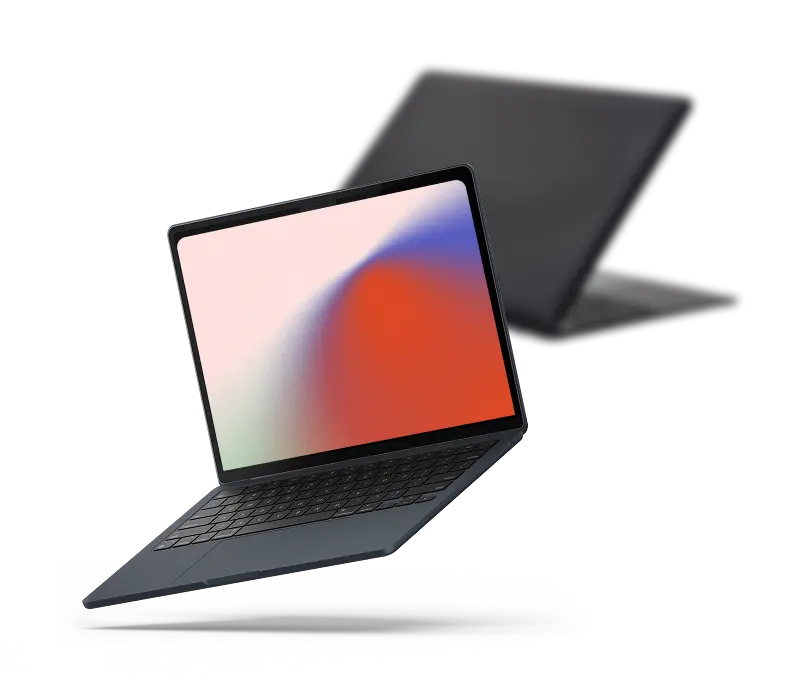


An old notebook can still have real value even after you have replaced it. The amount depends on much more than the logo on the lid: model, processor, graphics hardware, memory, storage, screen, battery, age and physical condition can all change what a device is worth.
SellLaptopBack lets you find your exact computer, choose its condition and see an offer before you ship it. If you decide to continue, we provide a prepaid shipping label, inspect the device when it arrives in Reno and issue payment when the machine matches the information supplied with the quote.
You can start with the laptop model catalog, or use this guide first to understand what affects value, what condition information matters, how to prepare your computer and how a direct buyback compares with marketplaces and trade-in programs.
On This Page
- What Is My Laptop Worth?
- Find Your Exact Model
- How the Buyback Process Works
- Condition: What Actually Matters?
- Can You Sell a Broken Laptop?
- Prepare Your Computer Before Shipping
- What We Check During Inspection
- Why Laptop Values Change
- Compare Ways to Sell a Used Laptop
- MacBooks and Apple Laptops
- Windows and Gaming Laptops
- Packing and Shipping
- Frequently Asked Questions
What Is My Laptop Worth?
There is no useful single answer such as “a three-year-old laptop is worth 40% of its original price.” Two computers purchased on the same day can have very different resale values.
Think about a Dell XPS with upgraded memory and a dedicated graphics processor compared with an entry-level Chromebook from the same year. Both are laptops. Their hardware, original price, repair economics and demand are entirely different.
The important details usually include:
- Manufacturer and exact model
- Processor: Intel, AMD or Apple silicon generation and model
- Graphics: integrated graphics or a dedicated NVIDIA/AMD GPU
- Memory: installed RAM and whether it is upgradeable
- Storage: SSD type and capacity
- Display: size, resolution, refresh rate and touchscreen capability
- Battery: health, charging behavior and obvious swelling or failure
- Physical condition: scratches, dents, cracks, hinges and missing parts
- Functional condition: keyboard, trackpad, ports, Wi-Fi, webcam and speakers
- Included hardware: especially the correct power adapter
Age still matters, of course. A newer generation normally competes better with current hardware than an older equivalent, but age alone does not determine resale value. Our laptop depreciation guide explores the relationship between age and value in more detail.
The fastest way to get a number for a particular machine is not to estimate from age. Identify the model and configuration and look up the offer for that device.
Find the Exact Model, Not Just the Brand
“HP laptop” or “MacBook” is usually not enough information to determine value.
Major manufacturers produce hundreds of configurations. Even computers sharing the same product-family name can contain different processors, screens, storage capacities and graphics options.
SellLaptopBack's laptop catalog currently covers thousands of models across manufacturers including:
The complete laptop list contains additional manufacturers and model families.
If the label on the computer is difficult to identify, look at the manufacturer's model or service information on the bottom cover, in the BIOS/UEFI, or inside the operating system. Exact identification becomes especially important with machines such as Dell Latitude and Precision systems, Lenovo ThinkPads, Microsoft Surface models and gaming notebooks that may share the same exterior while using different internal hardware.
How Selling a Laptop to SellLaptopBack Works
The process is intentionally different from creating a classified ad or marketplace listing. You are not waiting for an individual shopper to discover the computer and make an offer.
1. Find Your Device
Search the catalog by manufacturer and model and choose the configuration that matches your computer.
2. Describe Its Condition
Select the condition and report relevant problems. The quote should describe the machine you actually intend to send, including significant damage or functional defects.
3. Review the Offer
The displayed value is the offer for the configuration and condition selected rather than an advertised “up to” figure for an unspecified version.
4. Ship the Computer
After completing the order, use the prepaid UPS or FedEx label supplied for the shipment. Proper packing still matters; a shipping label cannot protect a poorly packed computer from impact.
5. Inspection
When the laptop arrives in Reno, technicians verify the model and condition against the quote. If something materially differs, the revised offer is communicated before payment.
6. Payment
When the device matches the submitted information, payment is issued using the available payment option selected for the transaction.
You can see the process separately, including current shipping and payment details, on our How It Works page.
Laptop Condition: What Actually Matters?
Condition is more useful when it describes specific hardware than when it relies on vague words such as “good” or “bad.”
A computer can look excellent on the outside but have a weak battery or failing display. Another may have scratches on the lid while every component works correctly.
Screen
Check for cracks, pressure marks, dead pixels, discoloration, lines, backlight problems and touchscreen issues. Display repairs can be expensive, especially on high-resolution gaming machines, OLED notebooks, touchscreens and MacBooks.
Chassis and Hinges
Look at the corners, lid, palm rest and bottom cover. A small cosmetic scratch is different from a bent chassis or hinge that is pulling away from its mounting points.
Keyboard and Trackpad
Missing keys, sticky keys, dead keyboard zones and non-working trackpads should be reported. On some models the keyboard is integrated into a larger top-case assembly, which can significantly affect repair complexity.
Battery
A battery is a consumable component. Runtime normally changes as a battery ages, and a machine that only operates while connected to AC power should not be represented as having a normally functioning battery.
Ports and Charging
USB-C, Thunderbolt, USB-A, HDMI, audio, SD-card and proprietary charging ports are all worth testing when available. Loose or damaged charging connectors can indicate anything from a replaceable DC jack to board-level damage.
Internal Hardware
A computer missing its SSD, RAM, Wi-Fi card or other expected hardware is different from a complete working configuration. Likewise, upgrades can change the exact configuration being valued.
What If the Laptop Is Broken?
A computer does not necessarily become worthless because something fails.
Some damaged machines still contain usable displays, processors, memory, storage, motherboards, keyboards, fans, wireless cards and chassis components. The economics depend on the model and on what is broken.
Examples include:
- Cracked or non-working display
- Battery that no longer holds a useful charge
- Broken hinge or damaged enclosure
- Missing keyboard keys
- Failed charging connector
- Liquid exposure
- Storage failure
- Motherboard problem
- Machine that does not power on
If the computer is damaged, use the condition options that most accurately describe it. You can also read our guide about how to handle a broken laptop that still has resale or parts value.
If repair is an option, consider the cost of the part, the labor involved and the resulting increase in value. Spending $350 repairing a screen to increase a machine's sale value by $200 does not make economic sense. A simple SSD or RAM replacement may be a very different calculation.
Our repair and teardown library includes real models such as Dell XPS, Latitude, Precision, Acer Nitro, ASUS ROG, Lenovo ThinkPad and MSI notebooks. Those guides can also help identify which components are replaceable on a particular machine.
Prepare Your Laptop Before It Changes Owners

Preparation is partly about presentation, but privacy is more important.
Back Up Anything You Need
Copy documents, photographs, browser data, application files, encryption keys or anything else you intend to keep before erasing the computer.
Sign Out of Accounts
Cloud accounts and activation systems matter. This is especially important for Apple hardware, where the machine should be prepared correctly for its next owner.
Apple maintains current instructions for preparing a Mac before selling, giving it away or trading it in. On supported Macs, Apple recommends Erase All Content and Settings; older systems require a different process.
Reset Windows Correctly
Microsoft recommends backing up important files first and provides a Remove everything option in Reset this PC specifically for scenarios such as selling or giving away a computer. Microsoft also explains the optional drive-cleaning setting and notes that the consumer reset feature is not intended to meet government or industry data-erasure standards.
Remove Personal Accessories
Take out SD cards, USB receivers and other removable devices unless they are intentionally included with the computer.
Keep a Record of the Device
Before packing the computer, it can be useful to record the manufacturer, exact model, serial number and its physical condition for your own records.
What Happens During Laptop Inspection?
This is one of the most important differences between selling a computer and selling something simple such as a book or piece of furniture.
A laptop is a collection of components, and those components define both the machine and its condition.
An inspection may verify details such as:
- Manufacturer and exact model
- Processor
- Installed memory
- Storage configuration
- Graphics hardware
- Display condition
- Keyboard and trackpad operation
- Power and charging behavior
- Battery condition
- External damage
- Reported defects
For example, a listing for a Core i7 model cannot be valued as that configuration if the machine received is actually the Core i5 version. The same applies to storage, GPU options or substantial condition differences.
That is why entering accurate information at the quote stage matters. When the model and condition match, there is much less ambiguity later.
Why Does a Laptop's Value Change?
Computer values are not fixed.
Several forces operate at once.
New Hardware Generations
New processors and GPUs can provide better performance, efficiency or features at similar retail prices. That changes what buyers are willing to pay for previous generations.
Configuration
A workstation with a dedicated GPU, 32GB of RAM and a large SSD occupies a different resale market from the base configuration of the same family.
Repair Cost
Repair economics matter. A cracked assembly that is inexpensive and easy to replace has a different effect on value from a proprietary display assembly that costs hundreds of dollars.
Battery and Wear
Batteries, keyboards, hinges, cooling fans and chassis components wear through normal use. Their condition becomes increasingly important as a computer ages.
Demand for the Particular Model
Business notebooks, gaming systems, lightweight ultrabooks, workstations and MacBooks serve different buyers. A model with strong demand for used systems or replacement components may behave differently from a machine with little secondary-market interest.
If you want to explore this specifically, see the Laptop Depreciation Guide and the separate MacBook Depreciation Guide.
Direct Buyback, Marketplace, Local Sale or Trade-In?
There is no reason to pretend that every owner wants the same selling process.
The useful question is not simply, “Which place displays the biggest number?” It is what you receive after considering the work, costs, restrictions and uncertainty involved.
Online Marketplace
A marketplace such as eBay gives you control over the listing and exposes the computer to individual buyers. That can work particularly well for unusual configurations or equipment with specialized demand.
The seller generally has to photograph the machine, write the listing, communicate with buyers, pack the item, account for platform costs and deal with any return or dispute that arises.
We have a separate guide to the advantages and practical considerations of selling a laptop on eBay.
Local Marketplace
A local sale can avoid shipping and may result in immediate payment, but it requires finding a buyer in your area and usually arranging an in-person transaction.
The Federal Trade Commission warns people selling items online about fake payment notifications, bogus refund requests, fake checks and verification-code scams. Its online selling scam guidance is worth reviewing when dealing directly with unknown buyers.
Manufacturer or Retail Trade-In
Trade-in programs can be convenient when purchasing another computer. Depending on the program, compensation may take the form of store credit, purchase credit or another restricted payment method, so read the current terms before comparing the number with a cash offer.
Direct Buyback
A direct buyback removes the individual-buyer stage. You identify the computer, receive a quote, ship it for inspection and receive payment if the machine matches the submitted information.
If you are still comparing approaches, our guide to different laptop selling options goes further into the tradeoffs.
Selling a MacBook Is Mostly About the Exact Generation
“MacBook Pro” can describe machines separated by many years of hardware development.
Important differences may include:
- Intel processor vs. Apple silicon
- M-series chip generation
- Screen size
- Unified memory or installed RAM
- SSD capacity
- Battery condition
- Touch Bar on applicable generations
- Display and enclosure damage
- Activation status
You can browse the Apple laptop catalog to locate a MacBook Air or MacBook Pro configuration, and the MacBook value guide provides additional information about depreciation.
Before transferring an Apple computer, follow Apple's current instructions for signing out and erasing the machine rather than relying on old reset directions copied from another website.
Windows Laptops, Business Machines and Gaming Notebooks
The Windows ecosystem is much broader because hundreds of manufacturers and product families share the operating system.
Business Laptops
Dell Latitude and Precision, Lenovo ThinkPad, HP EliteBook and similar machines may include multiple processor, memory, display and storage combinations even within one model generation.
Browse common catalogs such as Dell, Lenovo and HP rather than estimating from brand alone.
Gaming Laptops
On a gaming machine, the GPU can be one of the most important specifications. Two laptops with similar processors and the same amount of memory can have substantially different capabilities if one contains a higher-tier graphics processor.
Cooling condition also matters. Dust buildup, damaged fans, overheating behavior, damaged displays and power-supply problems can be significant on high-performance systems.
Relevant manufacturers include Alienware, ASUS, MSI, Razer and Gigabyte.
2-in-1 and Surface Devices
Convertible and detachable computers add other condition points: touchscreens, hinges, detachable keyboards, kickstands and pen support. The Microsoft catalog covers Surface laptop models available in the database.
Packing a Laptop for Shipping
A computer that leaves your home in working condition should be protected well enough to arrive that way.
Use a sturdy box with enough protective material to prevent the laptop from contacting the outer walls. The machine should not slide or bounce inside the package when the box moves.
Protect:
- Screen and lid
- Corners
- Hinges
- Power adapter
- Any loose accessories
Do not place a heavy power brick where it can strike the display during transit.
Our packing and shipping guide provides more detail about preparing the box and using the shipping label.
What About an Old Laptop With Very Little Resale Value?
Not every computer remains economically useful forever. Very old systems, severely damaged machines or models with little parts demand may have minimal resale value.
Before throwing electronics into household trash, check the available reuse, donation and recycling options for the equipment and batteries involved.
SellLaptopBack also maintains information about laptop donation and device recycling alternatives for equipment that may not make sense as a normal sale.
A Practical Way to Make the Decision
If you have a machine sitting unused, start by identifying it rather than guessing what it is worth.
- Find the model number.
- Confirm CPU, GPU, RAM and storage.
- Check the screen, keyboard, battery and ports.
- Record any defects honestly.
- Look up its current quote.
- Compare that offer with the realistic net result from any marketplace or trade-in alternative you are considering.
- Choose the process that fits your priorities.
The word realistic matters. A marketplace asking price is not automatically a completed-sale price, and a completed-sale price is not automatically the amount the seller keeps after expenses.
If you want more detail before choosing, the 15-step laptop selling guide covers the process from a broader perspective.
Frequently Asked Questions
How do I find out what my laptop is worth?
Start with the exact manufacturer, model and configuration. Processor, GPU, memory, storage, display and physical condition all matter. Use the model search for a current quote and the depreciation guide for additional context.
Can I sell a laptop that does not work?
Many damaged or non-working machines can still have value. Report known problems accurately so that the quote reflects the actual device. See our broken-laptop guide for common examples.
Can I send a laptop with a bad battery?
A failed or weak battery does not necessarily make the rest of the computer worthless. Report the battery condition accurately when selecting the device condition.
Can I sell a laptop with a cracked screen?
Potentially, yes. The effect on value depends on the model, display assembly and overall condition. A cracked screen should be disclosed before shipment.
Do I need the original charger?
The correct charger can matter to both usability and value. Follow the quote requirements for your device and disclose missing accessories where applicable.
Should I erase my files first?
Yes. Back up anything you need and follow the computer manufacturer's current procedure for preparing the machine for a new owner. Microsoft and Apple both publish official instructions for this process.
How should I reset a Windows laptop before selling it?
Microsoft's current Windows instructions provide a Reset this PC option with “Remove everything” for situations such as selling or giving away a PC. Follow Microsoft's current documentation because available settings can change between Windows versions.
How should I erase a MacBook?
Apple recommends Erase All Content and Settings on supported Apple-silicon and T2-equipped Macs running compatible versions of macOS. Older Macs require additional steps. Use Apple's current support instructions for your particular system.
How is the laptop shipped?
SellLaptopBack provides a prepaid shipping label after the order is completed. Pack the machine securely and keep your carrier receipt after dropping off the package. See the shipping guide for details.
What happens when the laptop arrives?
The machine is inspected to verify that its model, configuration and condition correspond with the submitted quote. If material differences are found, a revised offer is communicated before payment.
What if I entered the wrong condition?
If inspection shows a meaningful difference from the submitted description, the offer may need to be adjusted. Accurate condition selection before shipment helps avoid surprises.
Is selling directly the same as trading in a laptop?
Not necessarily. Some trade-in programs provide store or purchase credit, while a direct buyback is a sale. Always compare the actual form of payment, shipping terms, valuation rules and condition requirements.
Can I sell more than one laptop?
Yes. Businesses, schools and individuals with multiple devices can also review the bulk laptop selling options rather than processing machines individually.
Ready to Check Your Laptop?
You do not need to decide what an old computer is worth from its age or original purchase price. Start with the hardware you actually have.
Identify the model, select its condition and compare the offer with your other options.